My problem is that my distance from TP is not 1:2 is more and I will be in the trade longer for smaller profit
Then, set that parameter back to false. You understand that you cannot have the TP distance that is exactly 2x your SL distance and still have a reward that is 2x of your risk when you have commission to pay?
 
The latest update MT5 build 5572 after it a problem arose, EA began to slow down very much and the chart froze. This happened right after the MT5 update. I've been using this EA for several years now and there were no problems with updates before, but in build 5572 it immediately started freezing
 
Now MT5 has been updated to build 5573, which is very strange, 2 updates in 24 hours, but the problem has not fixed
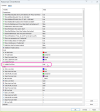
Please change the Labels Font Face input parameter from Courier to Arial (or any other TrueType non-monospace font).
 
  • 👍
Reactions: pdewxyz and smart4trader
hello;

I got metatrader 5 version 5 and whenever I start to use position sizer my chart freezes. It started today with the last update of mt5.

I uninstalled mt5 and installed again then I add position sizer to my newly downloaded mt5, It freezes again.I mean not %100 freeze but moves only 5 seconds by 5 seconds.
 
hello;

I got metatrader 5 version 5 and whenever I start to use position sizer my chart freezes. It started today with the last update of mt5.

I uninstalled mt5 and installed again then I add position sizer to my newly downloaded mt5, It freezes again.I mean not %100 freeze but moves only 5 seconds by 5 seconds.
1770025305686.png

Just change Font and problem Fixed
 
  • 👍
Reactions: Pedrkof06 and hakanerdal
Instructions on how to fix EA freezes after updating MT5 build 5572 (January 30, 2026)

1770025562693.png

Then change the font in EA settings

1770025641140.png

Then I recommend saving the EA settings template and then the chart settings template
Problem Fixed

I think the developer needs to change this font setting so that there are no new freezing problems.
 
Last edited:
Thank you! I am very new in the program. Where did you find these window?
 
Instructions on how to fix EA freezes after updating MT5 build 5572 (January 30, 2026)

View attachment 36010

Then change the font in EA settings

View attachment 36012

Then I recommend saving the EA settings template and then the chart settings template
Problem Fixed

I think the developer needs to change this font setting so that there are no new freezing problems.
Thank you all! From my side, I can say that switching to Arial improves things, but it’s still far from 100% reliable. Setting the ShowMainLineLabels input parameter to false works even better, yet again not at 100%. I don’t know what they included in this update, but many such issues have appeared ) I’d greatly appreciate a complete fix for this problem.
 
Спасибо всем! С моей стороны могу сказать, что переход на Arial улучшает ситуацию, но всё ещё далёк от 100% надёжности. Установка параметра ShowMainLineLabels в значение false работает ещё лучше, но опять же не на 100%. Не знаю, что они добавили в это обновление, но подобных проблем появилось много. Я был бы очень признателен за полное исправление этой проблемы.
I didn't pay attention to this, but last week I was still using version 3.07, and the hotkeys worked in any language (MT5 in English, and the Windows interface and keyboard layout in Russian). Now the hotkeys only work in English. I don't know if this is a problem with the EA update or with the MT5 update.