

How to Automate TradingView Alerts to MT5, MT4, cTrader, and Any Broker
TradingView has become one of the most popular platforms for Forex trading, technical analysis, and automated trading strategies. However, many traders still face the same challenge:How do you automatically execute TradingView alerts on your broker account?
Whether you're trading Forex, indices, commodities, stocks, or crypto, manually placing trades after receiving a TradingView alert can lead to delays, slippage, and missed opportunities.
What Is TradingView Automation?
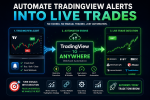
TradingView automation allows traders to convert TradingView alerts into real trades automatically.
Instead of:
TradingView Alert → Notification → Manual Trade
You can use:
TradingView Alert → Webhook → Automatic Trade Execution
This allows your strategy to run 24/7 without requiring you to monitor charts constantly.
Supported Trading Platforms
With TradingView To Anywhere, you can automate TradingView alerts on:- MetaTrader 4 (MT4)
- MetaTrader 5 (MT5)
- cTrader
- NinjaTrader
- TradeLocker
- DXtrade
- Interactive Brokers
- Bybit
- OKX
- Hyperliquid
- Gate.io
What Can Be Automated?
Traders can automate:- Buy orders
- Sell orders
- Close orders
- Partial position closing
- Stop Loss updates
- Take Profit updates
- Limit orders
- Stop orders
- Pending order cancellation
Popular Use Cases
Automate TradingView Strategies to MT5
Run your TradingView strategy and automatically execute trades in MetaTrader 5 without manual intervention.Send TradingView Alerts to MT4
Connect TradingView alerts directly to MetaTrader 4 and execute Forex trades automatically.TradingView to cTrader Automation
Use TradingView as your signal engine while cTrader handles broker execution.Copy Trading and Signal Services
Distribute TradingView signals across multiple accounts automatically.Automated Forex Trading
Create a complete Forex automation workflow using TradingView alerts and webhooks.Why Traders Automate TradingView Alerts
Benefits include:- Faster execution
- Elimination of manual errors
- 24/7 trading automation
- Easier strategy scaling
- Multi-account trading
- Consistent execution rules
How It Works
- Connect your trading platform.
- Generate your webhook URL.
- Create a TradingView alert.
- Add the webhook URL.
- Configure your trade command.
- Let the system execute trades automatically when alerts trigger.
Final Thoughts
If you are searching for a reliable way to automate TradingView alerts to MT4, MT5, cTrader, NinjaTrader, crypto exchanges, or other brokers, TradingView To Anywhere provides a simple webhook-based solution that can bridge TradingView and your execution platform.Website:
https://tradingview.to
Supported Integrations:
https://tradingview.to/anywhere