



This guide is a 2026 update to our yearly review of Forex calendars. If you are familiar with our previous reviews, you might be interested in checking out the changes in this update (you can just skip it, of course):
- Updated images in the list for Dukascopy and Investing.com.
- Investing.com now uses a 2-letter currency ISO code instead of a 3-letter one.
- Dukascopy no longer seems to provide any additional details for the events in the calendar, not even the historical charts it had before. The only additional info the calendar now has is the short description of an event under the event's name.
- Forex Factory has a separate page with full details about the chosen report, though it repeats the info you can see on the main page when you open details of a report.
- Dukascopy no longer offers any charts.
- Corrected information about values shown in the chart of Forex Factory, pointing out that they are displayed in the top left corner of the chart when you hover your mouse cursor over a bar on the chart.
- Added that you can choose whether to show preliminary values on the Investing.com chart.
- Specified that Trading Economics allows you to show percentage change only on some charts.
- Dukascopy added five new currencies to its filter, bringing the total to 23: DKK, HKD, ILS, SEK, THB. Also, it replaced the symbol for CNY with CNH. Added an explanation that the filter shows only currencies available from the selected time range.
- Dukascopy added 15 new countries to the filter: Cyprus, Greece, India, Indonesia, Iran, Israel, Luxembourg, Malaysia, Pakistan, Philippines, Slovakia, Slovenia, South Korea, Taiwan, and Thailand. It also removed Mexico from the list. Russian Federation was changed to Russia. In total, the filter now contains 45 countries. The filter only shows countries that released data during the selected period.
- Trading Economics added three new countries to its filter, bringing the total to 143: East Timor, Malawi, and Zambia.
- Dukascopy gives the choice between Local time and GMT time. The choice is not saved.
- FXStreet no longer allows you to autodetect your time zone (it sets the time zone to the default GMT if you use the Set automatically option).
- IG detects your time zone automatically.
- Investing.com detects your time zone automatically. The setting can be saved regardless of registration.
- Myfxbook does not detect your time zone automatically anymore.
- Updated information and image of time browsing on Dukascopy.
- Updated example links for Econoday time browsing.
- Updated the image of Investing.com time browsing.
- Dukascopy and Investing.com now have Monday as the first day of the week. Trading Economics now starts a week on Sunday.
- Updated the description and the image of the Dukascopy mobile version.
- Updated the image for the mobile web version of the Econoday website.
- Updated the image for the mobile web version of Forex Factory calendar. Added information about fake mobile Forex Factory app.
- Updated the image for the mobile web version of FXStreet calendar. The mobile app shows revisions, but only if you open an event.
- Investing.com mobile web version significantly improved, allowing you to select custom dates and to easily see pre-revised values. The image for the web version was updated.
- Removed the mention of keyword search as an advantage of the Investing.com mobile app over the web version because the web version now also allows you to search for events.
- Added clarification that you cannot select a custom date range in the mobile web version of MQL5.com calendar.
- Revisions are not shown in the Trading Economics mobile app.
- Only registered users can use alerts on Forex Factory.
- Added mention that the FXStreet calendar sends a notification 30 minutes before the event release as well as immediately after. You need to be registered to get notifications this way. Removed automatic addition of notifications to Google Calendar from the list of possible ways of getting notifications.
- You need to be registered on Investing.com to use its powerful notification system.
- On Trading Economics, in addition to alerts and reminders about data releases, you can get notifications when news about the selected events is released.
- Updated the loading speed table.
- Updated the forecast accuracy table.
- Updated the number of events.
- Updated the info about delays.
- Updated the info about automatic updates.
- Trading Economics removed Danish, Hungarian, Norwegian, Persian, and Swedish from the available languages.
- Investing.com added an option to use an AI to describe and analyze an indicator.
- FXStreet reduced the number of ads somewhat, removing a banner at the bottom of the event list and a banner below the table of brokers, though ads still remain rather distracting.
- IG no longer shows a banner with the broker ad above the calendar. Instead, it shows the broker ad and links to opening an account below the calendar.
- Myfxbook removed a pop-up bottom banner, but ads still remain very distracting.
- Trading Economics added a bottom pop-up banner with links to paid plans for the calendar. No ads are shown for registered users even on free accounts.
- Investing.com does not have the option to print or export the newer version of the calendar. To print the calendar, you need the old version.
- Removed a small number of languages from the negatives of baha.com.
- Removed info about frequency of announcements and historical charts from the list of positives for Dukascopy. Removed delays and poor forecast accuracy from the list of negatives. Added absence of additional info about events to the list of negatives. Added absence of ads to the list of positives.
- Added less precise forecasts to the list of negatives of MQL5.com.
- Added slow loading speed to the list of negatives of Myfxbook.
If you are new to our reviews, this post will help you choose the best Forex calendar (or calendars) to use in your analysis and trade scheduling. I recommend reading the entire post in this case.
If you trade based on fundamental analysis or employ a news trading strategy, then an economic calendar is an indispensable tool for you. If you are a technical analysis trader or price action scalper, you can use economic calendars to your benefit for spotting the periods of the day when it is best to avoid trading due to periods of high uncertainty, which is usually connected to important macroeconomic announcements.
Even though modern trading platforms feature economic calendars right inside the trading terminal, it is much more convenient for traders to consult a web page calendar via their browsers — either on a desktop or using a mobile device. Also, while many Forex brokers offer a calendar on their website, the quality of broker-provided calendars is usually well below what you get at websites specializing in this sort of information.
The 11 Forex calendars presented below have proven to be the finest, both in form (easy to read, fast to browse, and pleasant to the eye) and in terms of content (lots of events, powerful filtering, additional features), and stand out from the hundreds available online nowadays. Despite lots of similarities, the calendars reviewed below have distinct traits that will make them more useful to some traders — it is in a trader's best interest to find one, two, or even three calendars that most fully suit his or her trading style.
The list
The 11 top calendars below are introduced in alphabetical order and then assessed according to their parameters and special features.

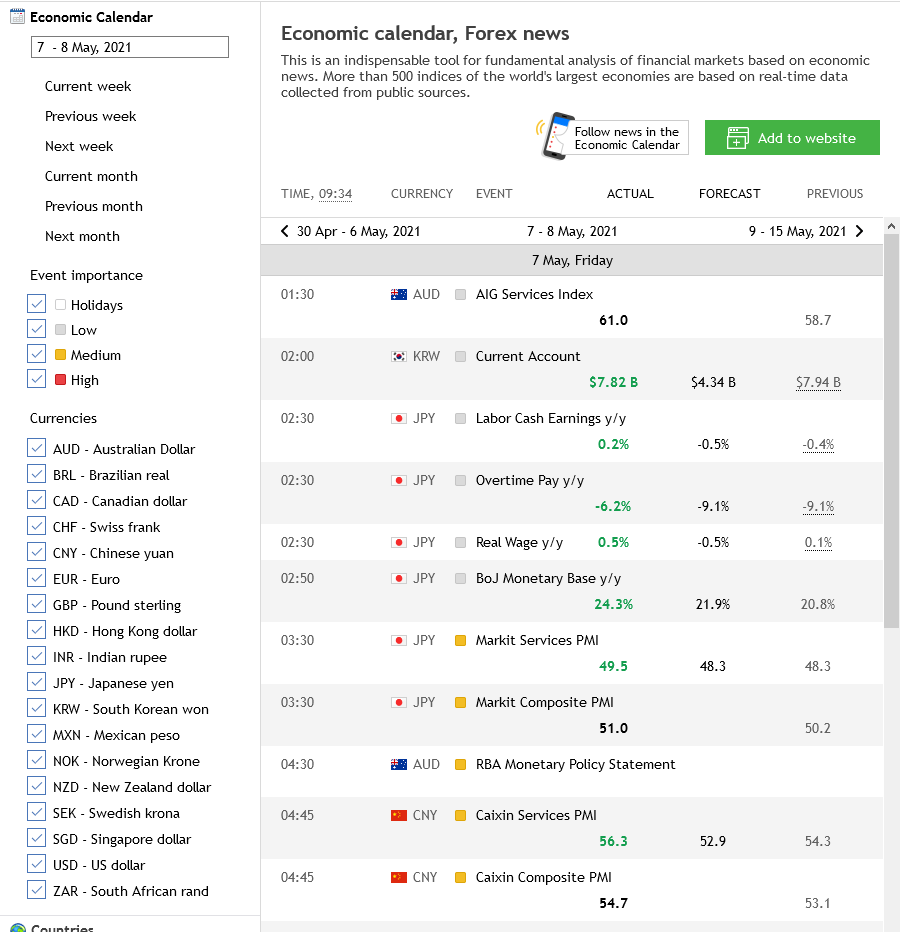
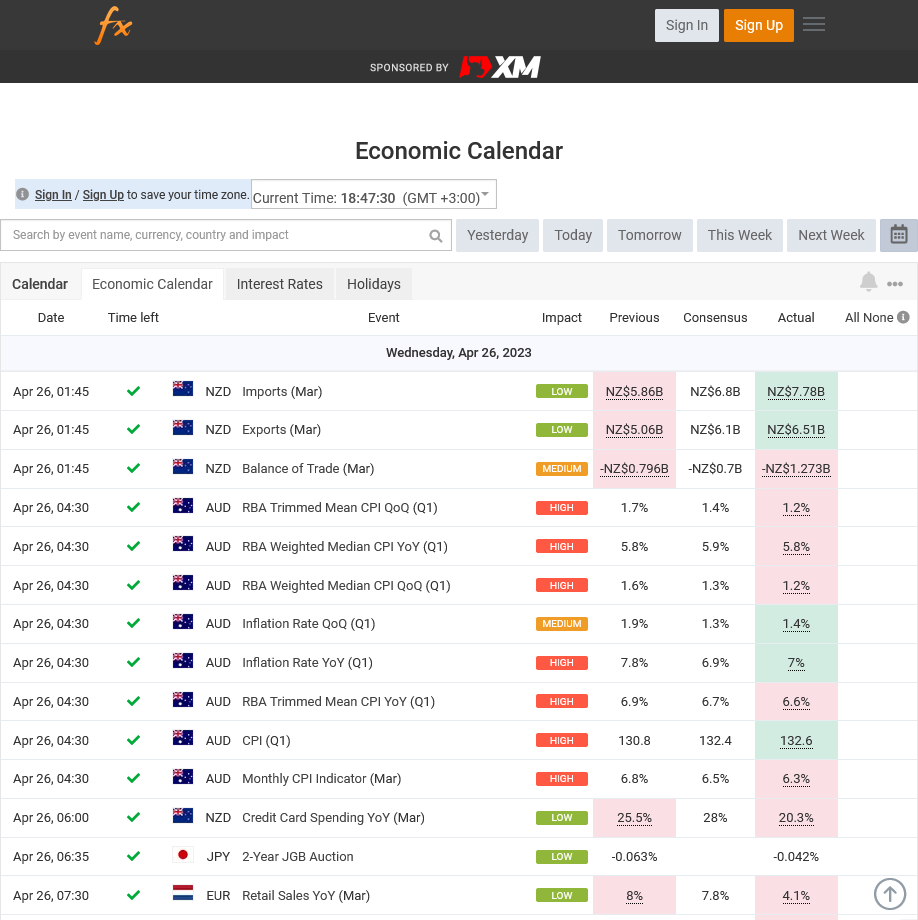
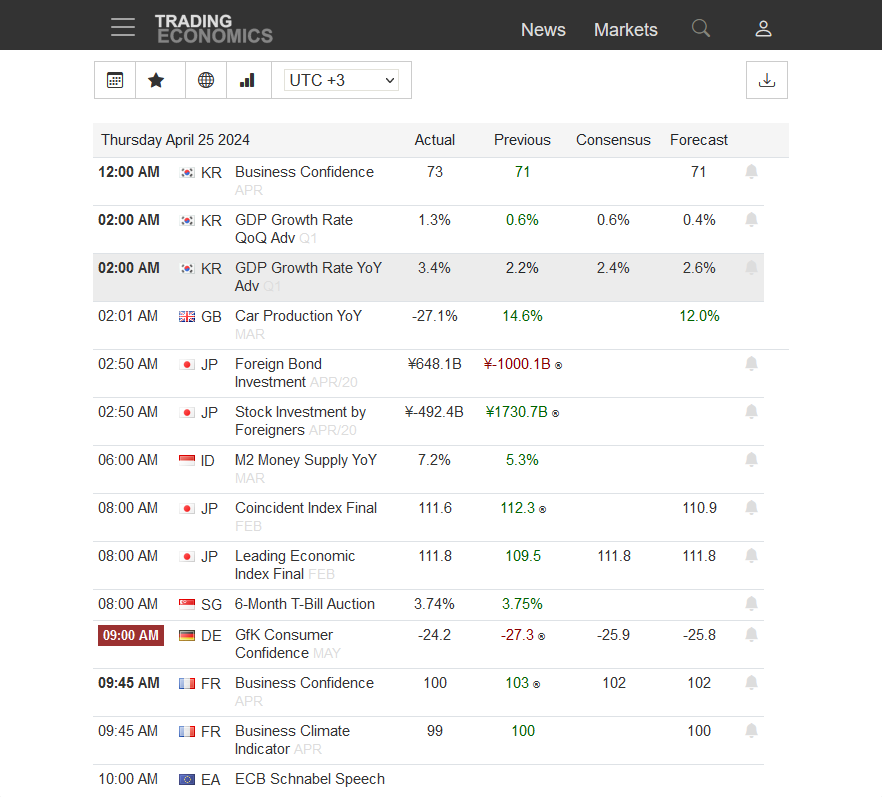
Interface
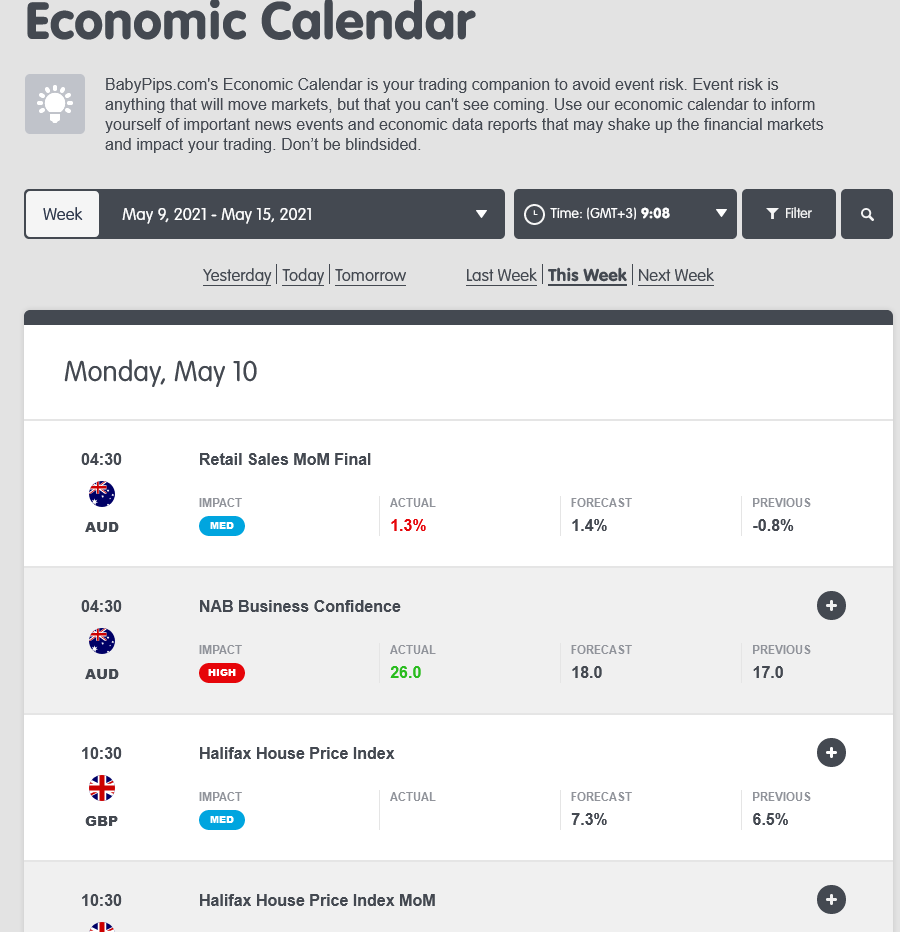
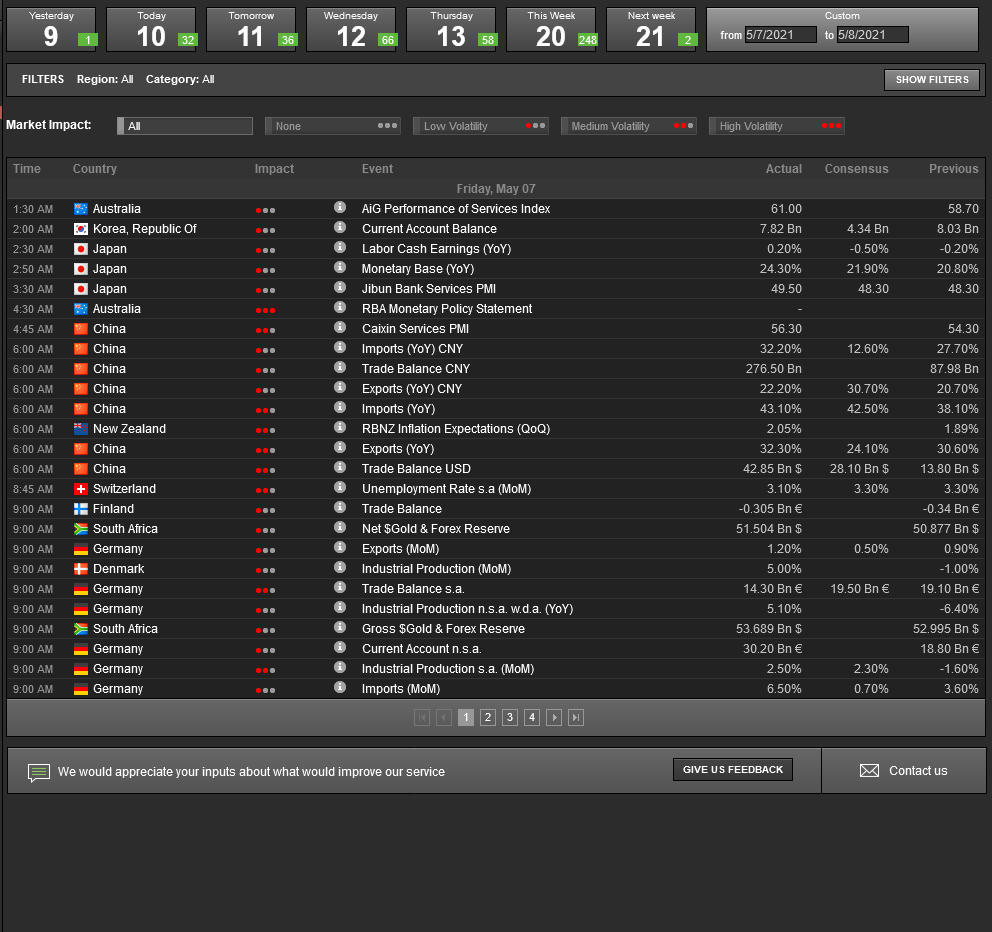
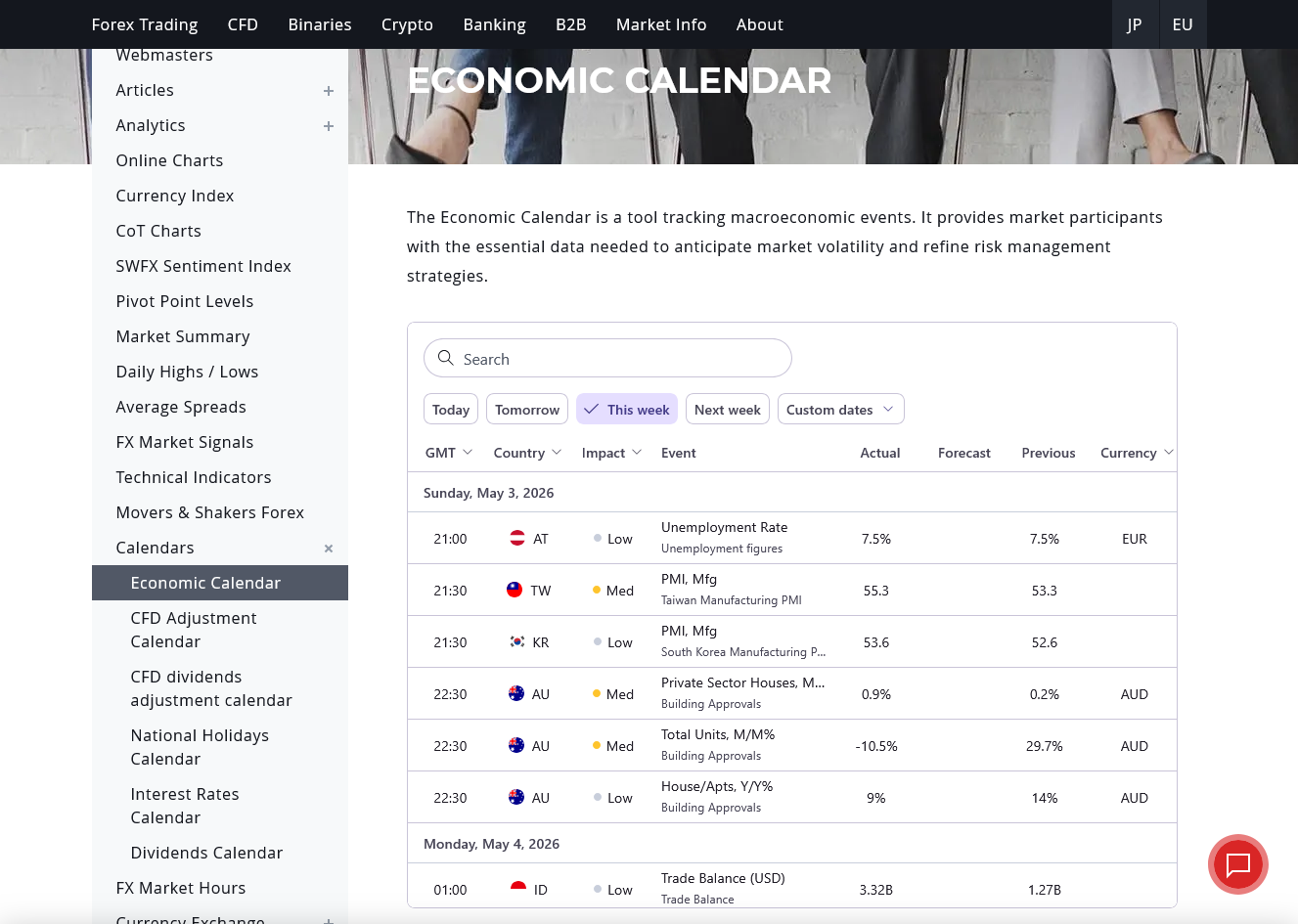
Appearance
Although the basic elements of the calendars are almost unchanged across all websites — the name of the event, its date and time, the country of origin, forecast, and previous and actual values — each calendar attempts to improve its data presentation using various methods of visualization and applying its own unique design and style.
Legend
To make the calendars more compact, the websites use various icons, images, codes, and abbreviations to display the list of events. A legend, similar to those used on maps, can accompany a calendar to describe such elements. However, not all calendars provide a legend, and not all of them are equally helpful.
- BabyPips.com provides no legend.
- Baha.com describes most of the non-obvious stuff with its filtering options.
- Dukascopy provides no legend.
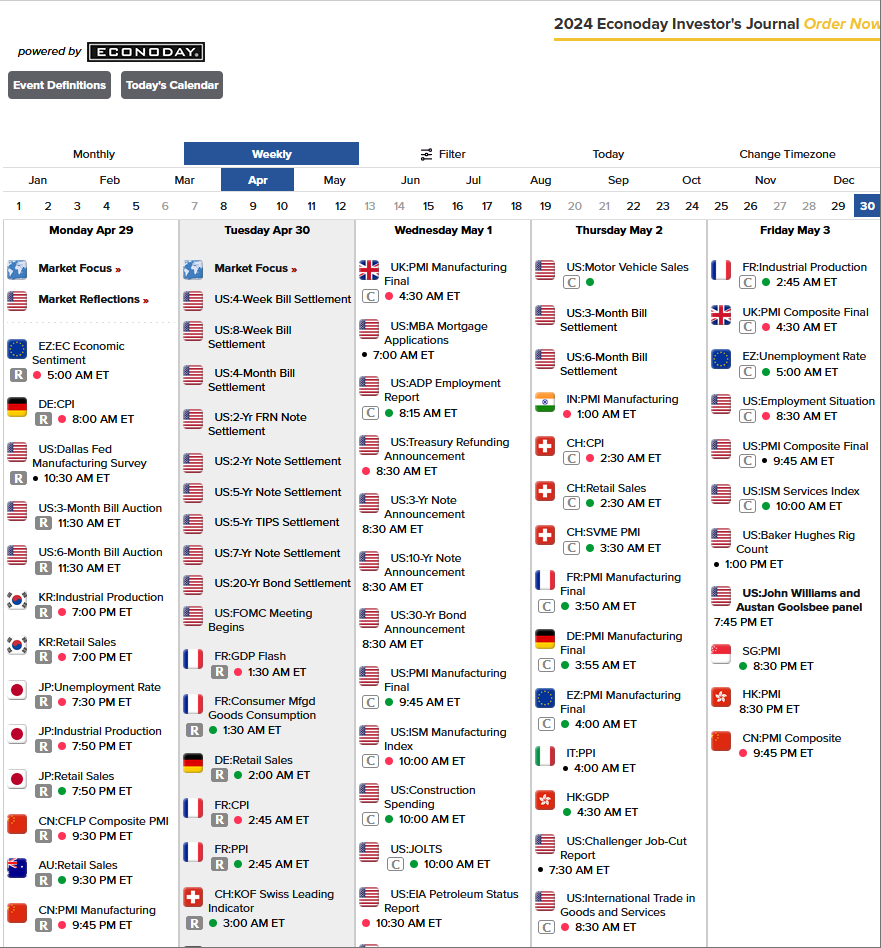
- Econoday provides a complete legend for all icons used throughout the calendar.
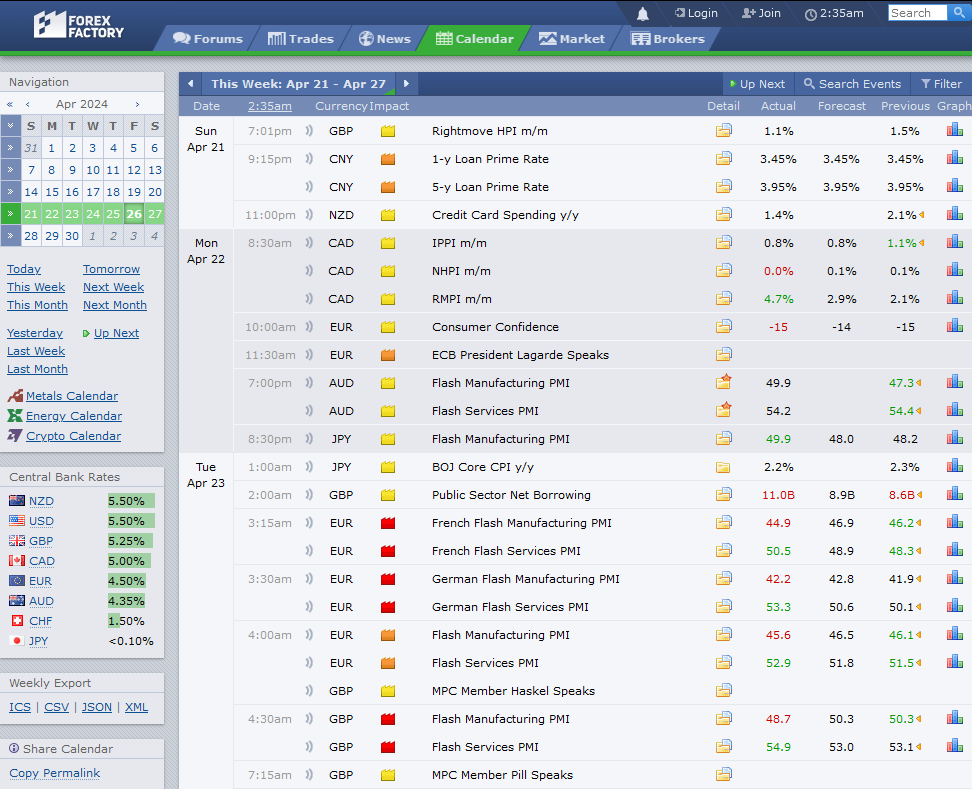
- Forex Factory has a very detailed legend with an explanation of icons and abbreviations used.
- FXStreet doesn't have a legend per se, but it offers a textual description of the calendar, which will help you understand how it works.
- IG provides a sort of legend via its event filtering menu.
- Investing.com has a brief legend for key elements used in the calendar.
- MQL5.com has calendar filter settings that also pass for being a sort of legend.
- Myfxbook doesn't offer a legend for the calendar.
- Trading Economics offers a rather poor legend, which is mostly a textual description and does not cover all the styling features used in the calendar.
Images/currency codes
Calendars use a currency ISO code, a country flag, or a country ISO code to show the origin of each of the listed events.
- BabyPips.com utilizes country flags and 3-letter currency ISO codes.
- Baha.com displays info using country flags and names.
- Dukascopy utilizes country flags and 3-letter currency ISO codes.
- Econoday employs country flags and 2-letter country codes.
- Forex Factory uses only 3-letter currency ISO codes.
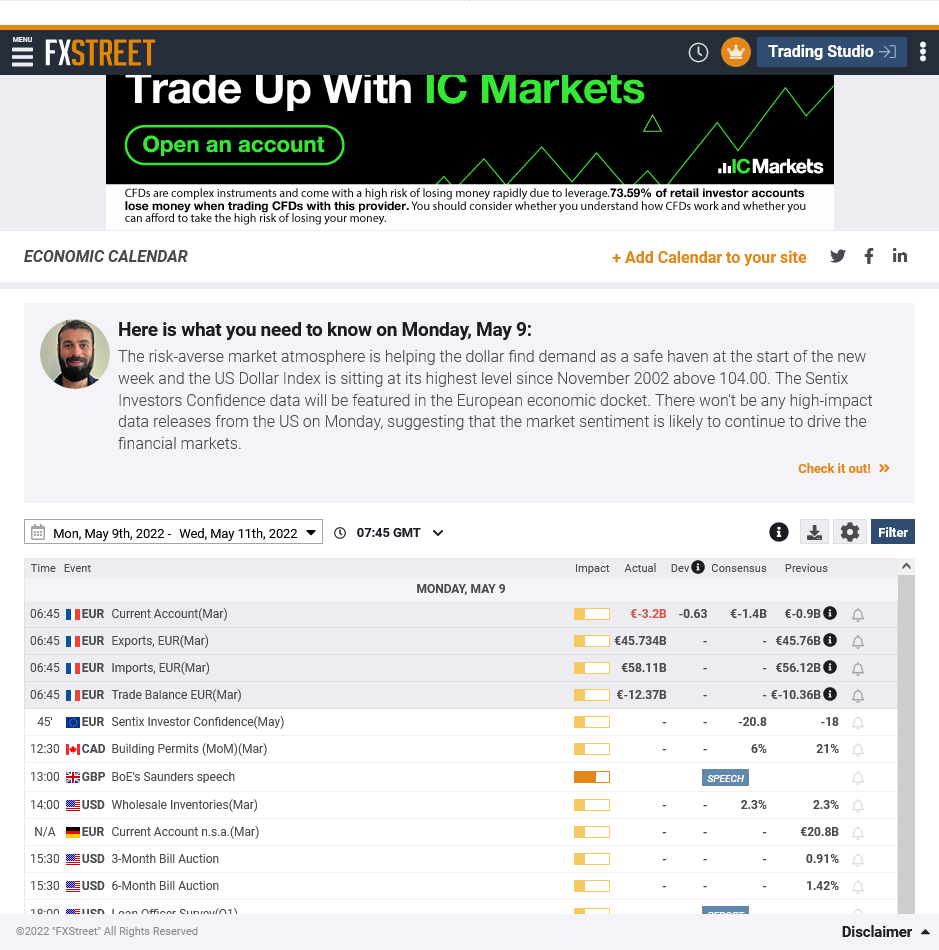
- FXStreet employs a country flag along with a 3-letter currency ISO code.
- IG utilizes only country flags and names.
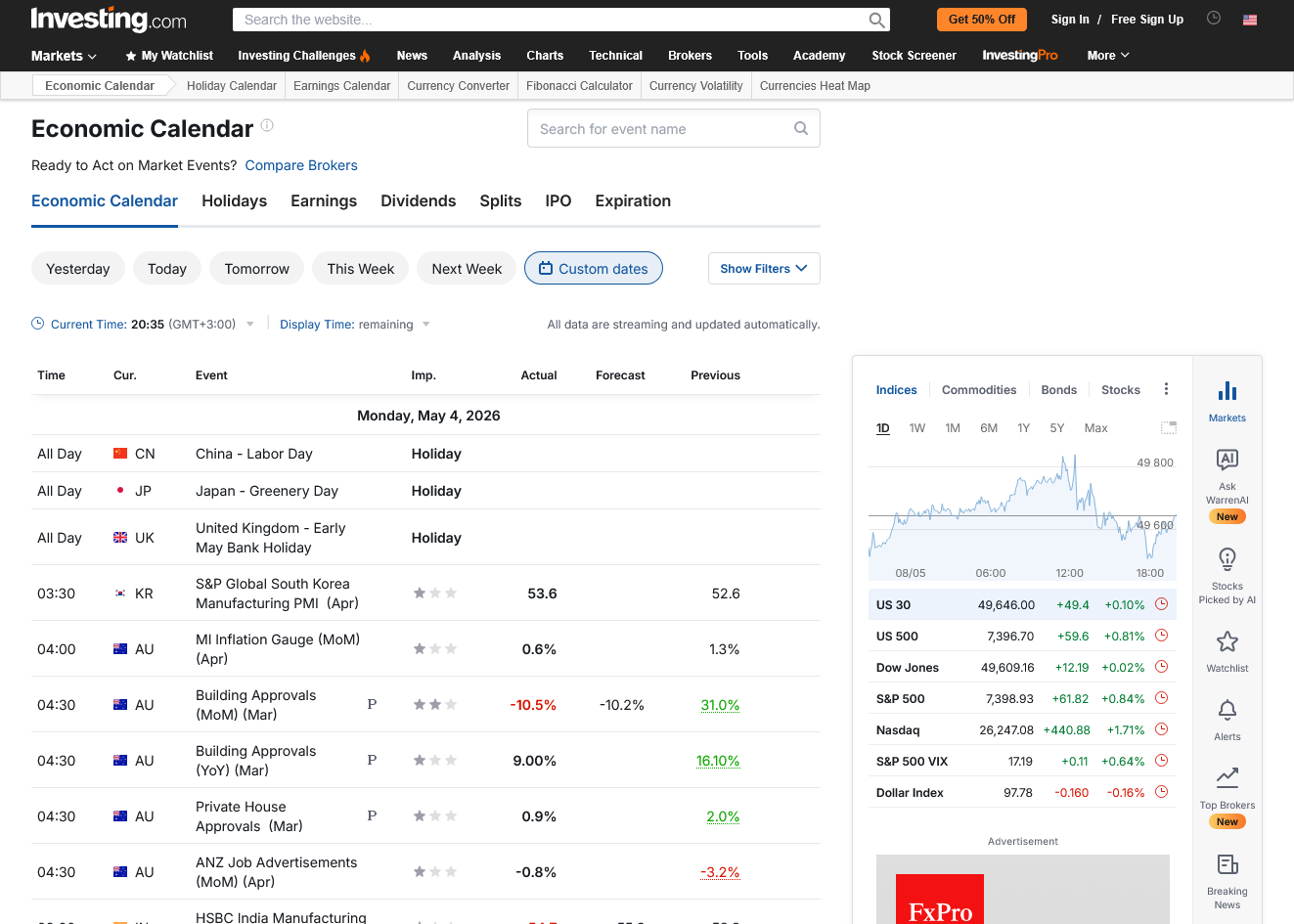
- Investing.com uses a country flag along with a 2-letter currency ISO code.
- MQL5.com uses a country flag and a 3-letter currency ISO code.
- Myfxbook uses a country flag and a 3-letter currency ISO code.
- Trading Economics uses country flags along with 2-letter country codes.
Additional details
As mentioned before, the basic information provided by an economic calendar for each event is the following: date and time, country/currency, name of the indicator or event, and previous/forecast/actual values. All of the listed calendars also provide a news impact measure of some sort. Some calendars choose to augment this data with additional details.
- BabyPips.com provides a detailed description for the majority of events/indicators, with a link to the source and the frequency of releases. The icon in the Details column indicates whether the report has a detailed description. To view the description, if it is available, you need to click on the icon.
- Baha.com provides only a basic description of the indicator with a link to the official source page.
- Dukascopy only shows a short description of an event under the event's name. Otherwise, it does not provide any additional data.
- Econoday gives a detailed explanation of the indicators, release schedule, last released data, and an in-depth study of recently released data. There is also a quick link named Why Investors Care, which describes the importance of the indicator for the economy. The link provides additional details such as the frequency and approximate time of release, original data source without a link, revision methodology, and, finally, the period that the report covers.
- Forex Factory shows an elaborate explanation of the indicator, a link to the official source page and the report itself, historical data and chart, related news articles, the next release date, an explanation of why it is important, and the indicator's full name and alternative names (if any). It also has a link to view full details about the chosen report, though it has the same details as on the main page, just neatly shown on a separate page for your convenience.
- FXStreet provides a definition of the indicator, a link to the official report, an explanation of why the indicator is important for traders, the source name, frequency of the release, the date of the next release, links to the related news, a historical chart with forecast and deviation plots, historical data, and elaborate market impact charts for major currency pairs (see the Extra features section below).
- IG provides historical data and a textual description.
- Investing.com offers a description of the indicator, a link to the official source page, and a very detailed historical data/chart spanning decades into the past.
- MQL5.com provides a description of the event, a link to the official source page, the next release date, a reference to the previous release, a chart of the recent data vs. forecasts, a historical data chart, and a historical data table.
- Myfxbook provides a link to the source page, a textual description of the event, the date of the next release, how many days to the next release are left, a historical chart of the data vs. forecast values, historical data, a chart of a select currency pair in relations to the historical chart, Forex Sentiment regarding the pairs with the country's currency, and links to news related to the release.
- Trading Economics offers a detailed explanation of the indicator, a link to the official source page, a historical chart (with a quick chart view directly in the calendar table), a data table, and related news.
Charts
Historical data assists in the study and interpretation of the economic data announced recently. Most of the charts show some amount of historical data related to the concerned economic event. However, the level of interaction possible with the chart differs from calendar to calendar. This section makes an attempt to assess the quality of the charts provided by the economic calendars.
- BabyPips.com does not offer charts.
- Baha.com does not offer charts.
- Dukascopy no longer offers any charts.
- Econoday doesn't offer any charts.
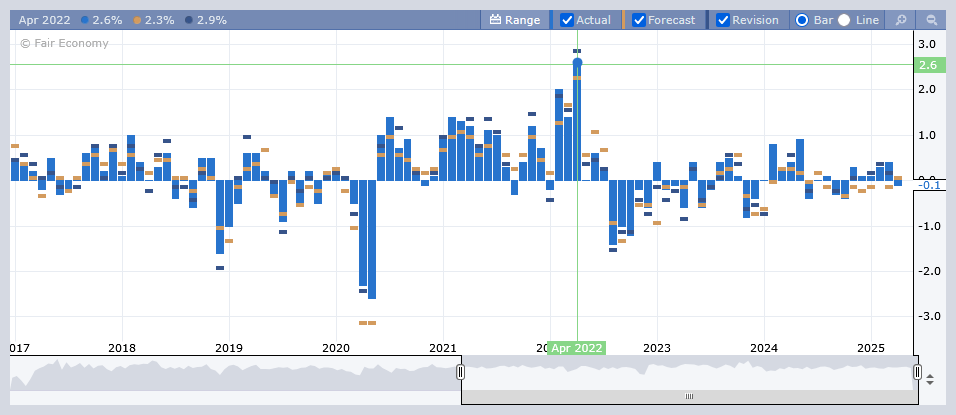
- Forex Factory shows a scalable interactive histogram chart with all values — actual, forecast, and revised. The problem with the revised data representation on the chart is that its color (dark blue) mixes with the actual data presented in light blue. You have a choice between a bar chart and a line chart. As with charts in many other calendars, you can hover with your mouse cursor over a data point to see the specific value. Unlike charts in other calendars, the Forex Factory calendar shows the value not under the mouse cursor, but in the top left corner of the chart. Furthermore, it shows all the values you selected to show on the chart (actual, forecast, and revised) for the chosen period.
- FXStreet provides a zoomable chart for historical data analysis with an option to add forecast and deviation values, which you will be able to see if you point at a specific date with your mouse cursor:
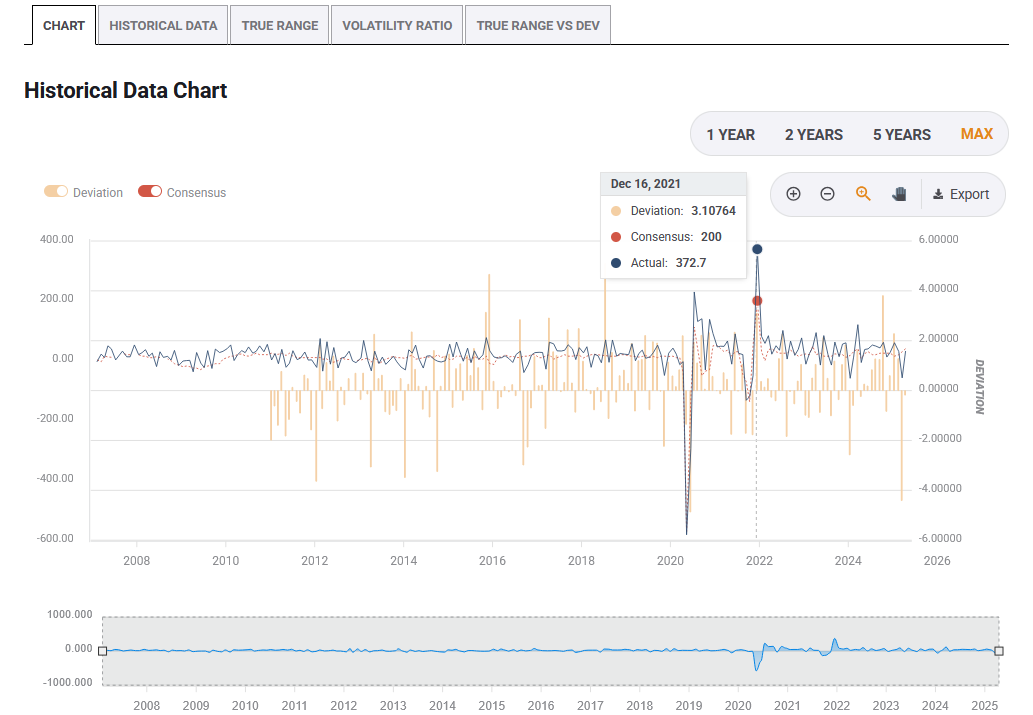 Three additional charts are also available (more on them in the Extra Features section below).
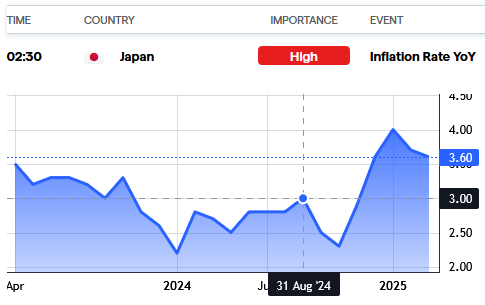
 - IG offers a small historical chart with about a year's worth of past data, with specific values shown when you hover over with your mouse cursor:
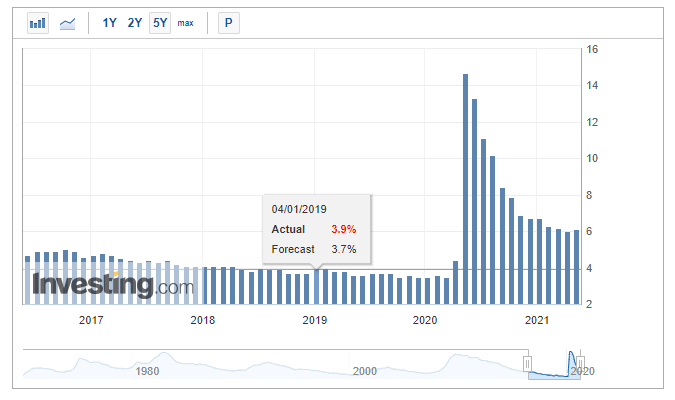
- Investing.com offers a scalable chart with a period selector and a switch between line and area. The data (actual, forecast, and revision), along with the announcement date, is shown when the mouse pointer is moved over the chart. You can choose whether to show preliminary values on the chart by clicking on the P button.
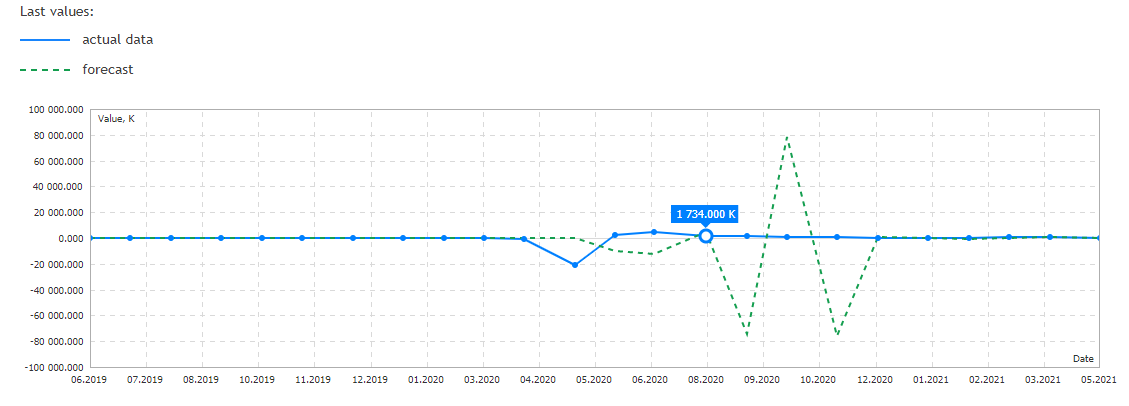
- MQL5.com provides a very simple historical line chart with forecast and actual values. Pointing the mouse cursor over it will show the exact value.
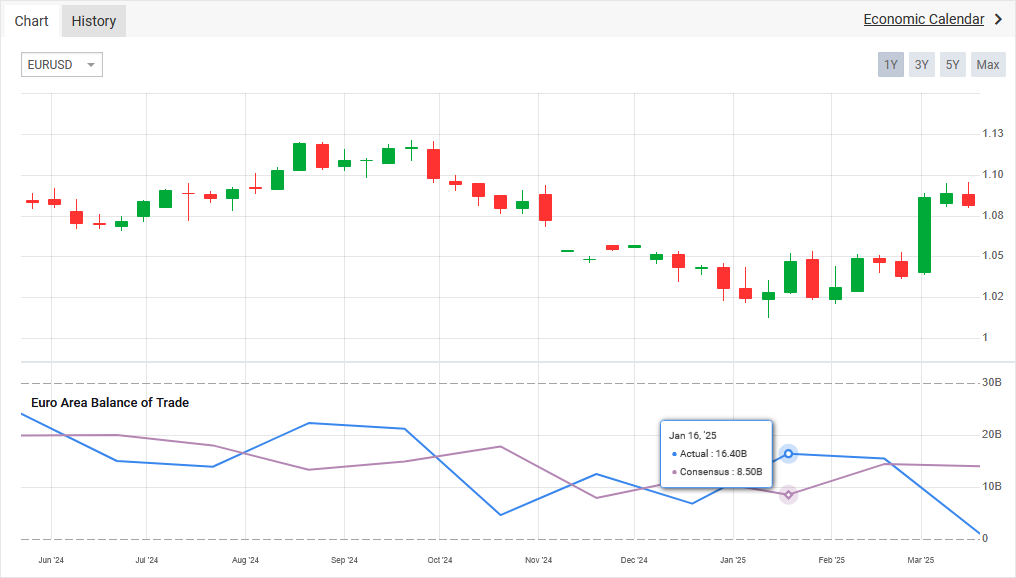
- Myfxbook provides a zoomable historical line chart with forecast and actual values as well as a price chart of a currency pair (usually related to the currency of the country that released the report, though you can choose another currency pair manually). Pointing the mouse cursor over will show the exact values:
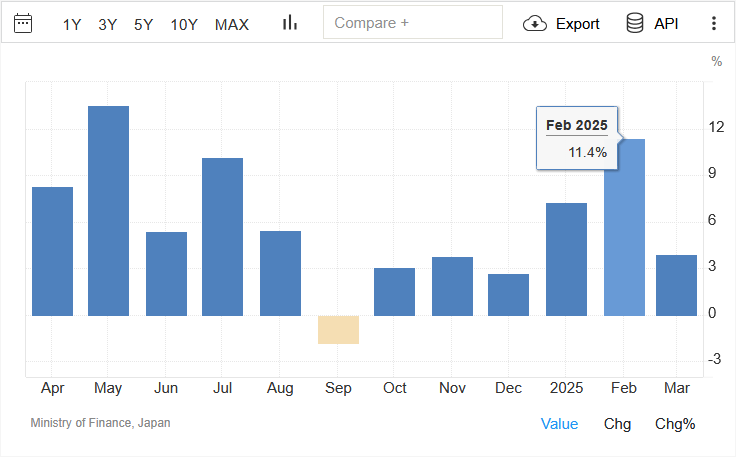
- Trading Economics provides an interactive chart with a period selector and some basic charting tools: column, spline, areaspline, stepline, line, and area. Only actual values are plotted (which you can see if you hover with your mouse cursor over a specific period). You also have a choice between viewing the actual value, the change in absolute value, and the percentage change (though the latter option is absent on many charts). The chart provides the facility for comparison with other countries and events.
Revisions
Most of the actual announcement values are calculated by governments (or other reporting institutions) using partial data. Because some of the data gets updated or new data is coming later, the revised values are released with the next reports.
When new data is announced for an indicator, simultaneously, the revised value (corresponding to the previous period) for the same economic indicator is reported. Most economic calendars display such revised information in a different color. There are also calendars that provide both revised and unrevised values for the trader’s convenience. Approaches of different economic calendars to revised values are explained below.
- BabyPips.com shows revised values, marking them with an asterisk. On mouseover, the 'revised from' value is displayed. Unfortunately, not all events get revisions displayed with this calendar.
- Baha.com displays only original values.
- Dukascopy shows only original values.
- Econoday shows both unrevised and revised values, but you have to click on an event to get to them unless you watch a daily view.
- Forex Factory gives revised values alongside a small yellow triangle. Moving the mouse pointer over the triangle reveals the previous value.
- FXStreet displays revised values alongside a small round gray bullet with the letter i in the center. The previous value is revealed by placing the mouse pointer over the icon.
- IG does not show revised values.
- Investing.com shows revised values with a dotted line underneath. Placing the mouse pointer over the number reveals the previous unrevised value.
- MQL5.com displays revised values with a dotted underline. The original values are displayed in a tooltip.
- Myfxbook displays revised values with a dotted underline, while the tooltip reveals the original value.
- Trading Economics shows revised values and uses a circled ‘R’ symbol next to them. On mouseover, the original data is revealed.
Filters
Using a filter, a trader can prioritize the list of events to monitor as per personal needs. Nearly all calendars offer these three basic filters:
- Countries/currencies
- Nature of events
- Impact
We shall look at the specific filters offered by each of the economic calendars taken here for assessment.
BabyPips.com allows filtering based on currency, impact, and session (London, New York, Tokyo, and Sydney). The currency filter offers a selection of 9 currencies (AUD, CAD, CHF, CNY, EUR, GBP, JPY, NZD, and USD). By default, all the currencies, news events, and sessions remain selected. Remember Filters option can be used to make the website remember your choice of filters, but you have to register if you wish to use this feature.
baha.com allows filtering based on event type, impact, region (North America, Europe, Asia, and Emerging Markets), and country. Overall, 51 countries and one monetary union (the eurozone) are provided in the country filter:
Expand the list of baha.com countries
Dukascopy offers country, currency, and impact filters. There is also a provision to perform a keyword search. In all, 23 currencies are listed in the currency filter (Important: the filter shows only currencies for which events were released during the selected period). They are: AUD, CAD, CHF, CNH, CZK, DKK, EUR, GBP, HKD, HUF, ILS, JPY, NOK, NZD, PLN, RON, RUB, SEK, SGD, THB, TRY, USD, and ZAR. The filtering can also be done using 45 countries (Important: same as with currencies, the filter shows only countries that released reports during the chosen time range):
Australia, Austria, Belgium, Canada, China, Cyprus, Czech Republic, Denmark, Europe, Finland, France, Germany, Greece, Hong Kong, Hungary, India, Indonesia, Iran, Israel, Italy, Japan, Luxembourg, Malaysia, Netherlands, New Zealand, Norway, Pakistan, Philippines, Poland, Portugal, Romania, Russia, Singapore, Slovakia, Slovenia, South Africa, South Korea, Spain, Sweden, Switzerland, Taiwan, Thailand, Turkey, United Kingdom, United States.
Econoday offers a filter to show events for one particular country or region of your choice from the following selection: Australia, Canada, China, Eurozone, France, Germany, Global, Hong Kong, India, Italy, Japan, New Zealand, Singapore, South Korea, Switzerland, Taiwan, United Kingdom, and the United States.
Forex Factory offers currency, impact, and an event-based filter. There are nine currencies in the filter: AUD, CAD, CHF, CNY, EUR, GBP, JPY, NZD, and USD. You can also search for specific events using a keyword search function.
FXStreet offers all three filters — country, impact, and event. The calendar also offers keyword-based event search. You can also choose a period for which to show the filtered results, though you can no longer set a custom date but have to choose between the predetermined periods. That said, if you select a custom date outside of the filters menu, the filters will be applied to the selected period. Unfortunately, the custom date does not work with keyword search, though filters are applied to the results of keyword search.
There are 50 countries and one monetary union in the country filter:
Expand the list of FXStreet countries
IG supports only country and impact-based filtering. It does not offer an event-based filter. However, a keyword-based event search facility is provided. In total, 41 countries are available for selection in the filter list:
Australia, Austria, Belgium, Brazil, Canada, China, Colombia, Czech Republic, Denmark, Euro Area, Finland, France, Germany, Greece, Hong Kong, Hungary, India, Indonesia, Ireland, Israel, Italy, Japan, Mexico, Netherlands, New Zealand, Norway, Philippines, Poland, Portugal, Russia, Singapore, South Africa, South Korea, Spain, Sweden, Switzerland, Taiwan, Thailand, United Arab Emirates, United Kingdom, United States.
Investing.com offers all three kinds of basic filters — country, impact, and event. Furthermore, there is also a time-based filter to view the actual display time or the time remaining for the announcement. Event-based keyword search is also possible. There are 107 countries, territories, and monetary unions in the country filter:
Expand the list of Investing.com countries
MQL5.com offers impact, currencies, and country filters. For currencies, there are: AUD, BRL, CAD, CHF, CNY, EUR, GBP, HKD, INR, JPY, KRW, MXN, NOK, NZD, SEK, SGD, USD, and ZAR. For countries, there are 22 entities in total. However, only a single country can be selected at a time:
Australia, Brazil, Canada, China, European Union, France, Germany, Hong Kong, India, Italy, Japan, Mexico, New Zealand, Norway, Singapore, South Africa, South Korea, Spain, Sweden, Switzerland, United Kingdom, United States.
Myfxbook provides impact and currency filters. Keyword search by event, currency, country, or impact is also available. Overall, 154 currencies are supported in the filter:
Expand the list of Myfxbook currencies
The filter contains the following 254 countries, regions, and monetary unions:
Expand the list of Myfxbook countries
Trading Economics offers country, event-based, and impact-based filtering. In addition to selecting several countries one by one, it is possible to select All, Major, Africa, America, Asia, and Europe groups. The list of countries, territories, and monetary unions includes 143 entities:
Expand the list of Trading Economics countries
Time zone
A trader may or may not be located in the same time zone used by the economic calendar to display the schedule of economic announcements. Thus, it is a good idea for the Forex calendars to display their active time zone and to allow synchronization of the server time with the computer’s clock. The economic calendars tackle this issue in the following manner.
- BabyPips.com — detects local time and uses it to display the schedule of events. The local time settings can be changed using the drop-down menu but cannot be saved permanently.
- baha.com — automatically detects local time and uses it to display the event announcement schedule. If the time settings are changed using the drop-down menu, then the latest setting (saved in cookies) is used when opening the economic calendar during the next visit.
- Dukascopy — allows you to choose between Local time and GMT time from a drop-down menu. There is no way to save the choice.
- Econoday — uses EST/EDT as the default time settings. However, it offers a provision to change the time zone as you want and save it in a cookie file.
- Forex Factory — detects your local time zone by default. You can manage the time settings with or without registration. The calendar uses cookies (for unregistered users) and member profiles (for registered users) to remember the time zone.
- FXStreet — uses GMT as the default. The time zone can be changed for both registered and unregistered users. The website will remember the choice regardless of your registration status.
- IG — does not provide a facility for choosing your time zone. At least, it detects your time zone automatically.
- Investing.com — seems to detect your time zone automatically. The time zone can be changed and saved (via cookies) without registration.
- MQL5.com — by default, detects the time zone via your browser. It can be changed and saved even without registration.
- Myfxbook — no longer seems to detect your time zone automatically. But you can change your time zone without registration, and the site allows you to save it via a cookie file. You can also open a free account with Myfxbook and save the time zone in your account settings.
- Trading Economics — automatically detects your time zone settings and applies them to the economic calendar. You can also set an arbitrary time zone, and it will be saved for your next visit even if you do not register.
Time browsing
Forex traders might need to browse through past economic data or look at the future schedule of events for a variety of reasons. Thus, every economic calendar strives to offer such a facility, albeit each in its own way.
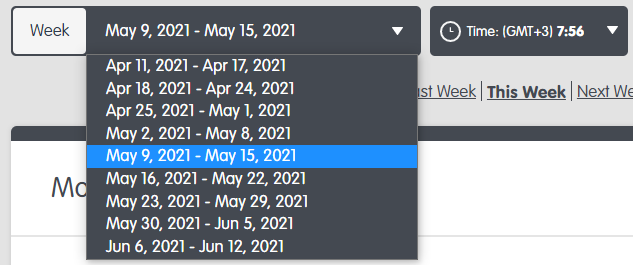
- BabyPips.com — you can choose to browse either by day or by week. The actual browsing is done by a kind of page flipping or by selecting a particular week from a drop-down list, though to see the list, you have to narrow the browser window. You can also set a week and a year you want in the browser's URL address.
- baha.com — the time scale allows a quick selection of data pertaining to the previous day, the current day, and the next three days. Additionally, a tab to view the entire list of events during the current and next week is available. Using the input box in the custom search facility, a trader can choose the period of interest for studying the economic data. The pop-up calendar in the custom search facility allows flipping through months but not years. A drawback that we came across while using the custom search facility is that the number of events that get listed is restricted to 500, despite increasing the time period of the search. For example, if we are studying the events in the month of April 2025, only the first 500 events are getting listed. Once we reach the twentieth page of events, we have to input the new dates to study the rest of the data. A tiny green-colored square box within each calendar date in the time scale provides the number of anticipated events for that particular day.
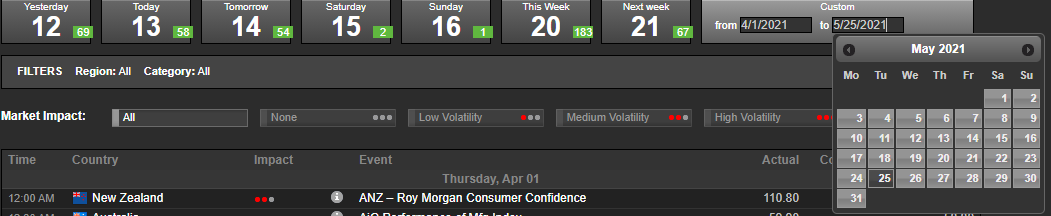
- Dukascopy — has a provision to manually enter the beginning and end dates. While the calendar allows you to choose absurd dates, including previous decades and even centuries, as well as a few years in advance, in reality you can select a date about a year back and a couple of months in the future. If you choose dates outside of this range, the calendar will just be perpetually loading. Within the available range, though, you can choose any dates, including the whole range. This means you can see more than a year's worth of data at the same time. As usual, there are quick links for viewing the events scheduled for today, tomorrow, this week, and next week.
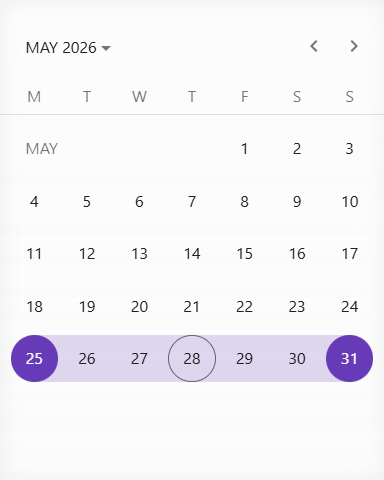
- Econoday — follows a very simple approach to facilitate calendar browsing. At the top of the event table, three quick links for browsing monthly, weekly, and today's data are provided. Beneath the quick links, two rows containing sequential dates and months of a calendar year are displayed. Unfortunately, the links work only for the current year. To see last year's reports, a direct link is required. For example, to view US non-farm payrolls in 2025, one can go to the May 2025 NFP report and change the fid parameter up or down by 1 to see the next or the previous report. It is a very inconvenient method by itself but also makes it almost impossible to guess the necessary fid figure without having a direct link to the event you need or at least to a similar event the same year. For example, here is a link to the May 2026 NFP report. The fid figure is almost entirely different, and there is no apparent way to know how much you need to subtract or add to it if you wish to see a similar report (let alone a completely different one) for a different year.

- Forex Factory — provides an easy and flexible calendar-based browsing facility. It is possible to browse through dates, months, and even years. The maximum number of days for display is slightly above 60. For quick reference, there are links to visit the current week and month. Similarly, there are quick links to visit the event schedule for the week and the month that are about to come.

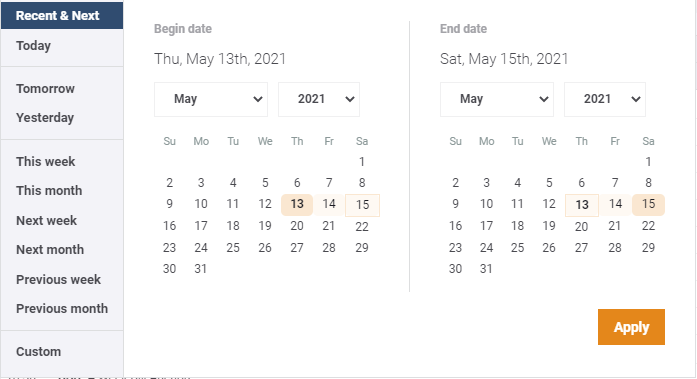
- FXStreet — a calendar browsing facility is available. There are also quick buttons to jump to Recent ' Next, Today, Tomorrow, Yesterday, This week, This month, Next week, Next month, Previous week, and Previous month events. It is possible to set the date manually, with 2007 being the earliest year available. A bit of a problem is the fact that the event dates lack any indicator of the year they belong to, so it can be confusing if your range includes several years.
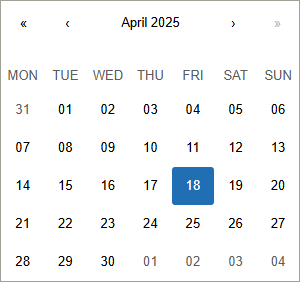
- IG — you can view the events using five time presets: Yesterday, Today, Tomorrow, Next 7 days, and Next 14 days. Additionally, you can select one specific day via a calendar, but you cannot set a date range:
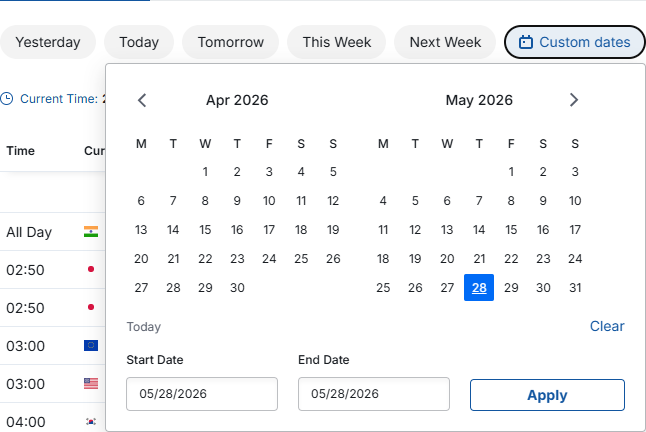
- Investing.com — you can show Yesterday, Today, Tomorrow, This Week, and Next Week. Alternatively, you can set a date range using a calendar, which lets you get some announcement data from decades ago. In fact, the calendar does not seem to have a limit to what date you can set, allowing you to choose ridiculous dates like past centuries. But in reality, the earliest date the calendar can provide starts in 1970.
- MQL5.com — lets you flip through the weeks back and forward. You can also choose current, previous, or next week as well as current, previous, or next month. A calendar selection is available where you can choose a period of up to 90 days long.
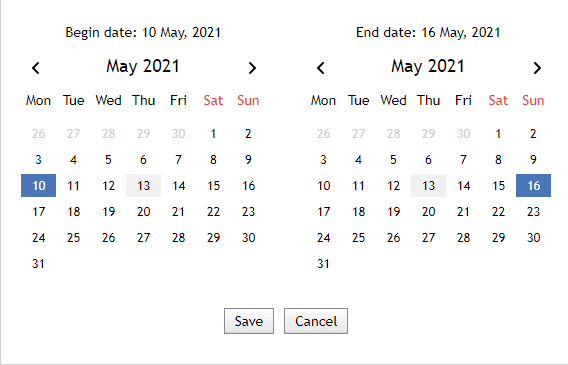
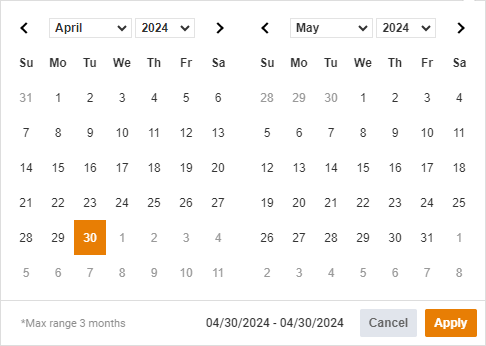
- Myfxbook — has Yesterday, Today, Tomorrow, This Week, and Next Week buttons. You can also use the pop-up calendar facility to set a date range, and its start and end fields can also be edited manually. The time range cannot be longer than three months.
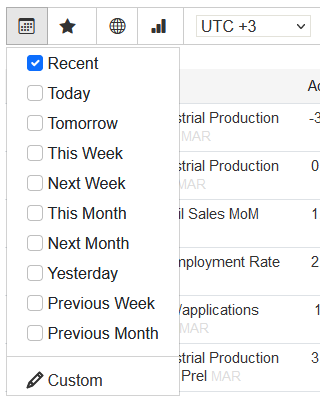
- Trading Economics — calendar browsing facility is not available. However, there is a drop-down menu that provides a quick link to view the event schedule for recent events, such as today, tomorrow, this week, next week, next month, yesterday, previous week, and previous month. There is also a facility to manually enter the starting and ending dates of the event schedule, though you have to register to gain access to this feature.
Week beginning
Five of the 11 economic calendars use Monday as the starting day of the week. They are Dukascopy, Econoday, IG, Investing.com, and MQL5.com. In the case of Forex Factory, you can set the first day of the week according to your choice in the profile manager if you are registered. The rest of the websites that were researched use Sunday as the first day of the week. baha.com is somewhat special in the sense that, while the calendars show Sunday as the first day of a week, a week starts with Monday in the custom date setting of this calendar.
Automatic updates
The auto-update feature lets you avoid the need to manually refresh a web page to view the latest announcements. The following economic calendars offer automatic on-page updates:
- Forex Factory
- FXStreet
- Investing.com
- MQL5.com
- Myfxbook
- Trading Economics
For the most part, all the calendars mentioned in the list were good at automatically updating, though sometimes they failed to do that, and reloading the webpage was required.
Other calendars require explicit reloading to see the changes, which is not a big problem itself, but it certainly makes working with announcements tedious.
Mobile-friendly
Nowadays, when lots of traders prefer to use their mobile phones to analyze charts, access news, and even submit orders, it is crucial for a calendar to have a mobile-friendly view. In addition, calendars can offer stand-alone apps that can offer their own features and be even better than web-based calendars. Below, we assess how mobile-friendly the top Forex calendars in our list are.
BabyPips.com
BabyPips.com has a responsive, mobile-friendly website. The mobile version provides the same information and nearly identical interface features as the desktop version of the calendar, for the most part, except for revisions that are not shown in the mobile version. In fact, it looks like they developed the calendar with mobile as their first priority and then expanded it somewhat for a desktop view.
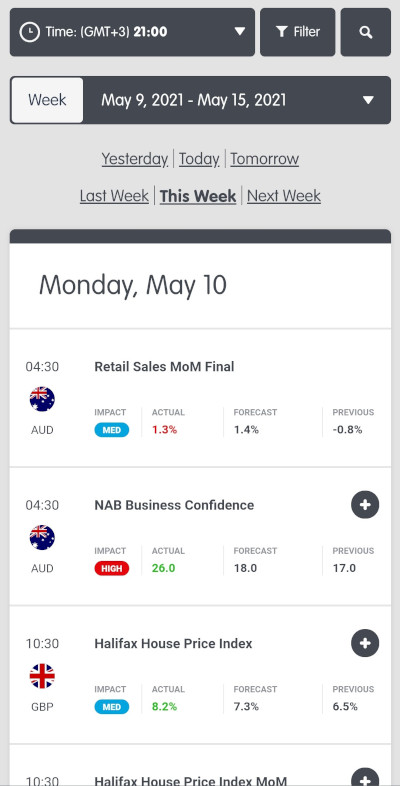
There is no mobile phone app for the BabyPips.com calendar.
baha.com
baha.com is not a mobile-friendly site. To browse through it, you have to endure lots of scrolling and tight tapping. On the bright side, all the desktop features are retained in the mobile version.
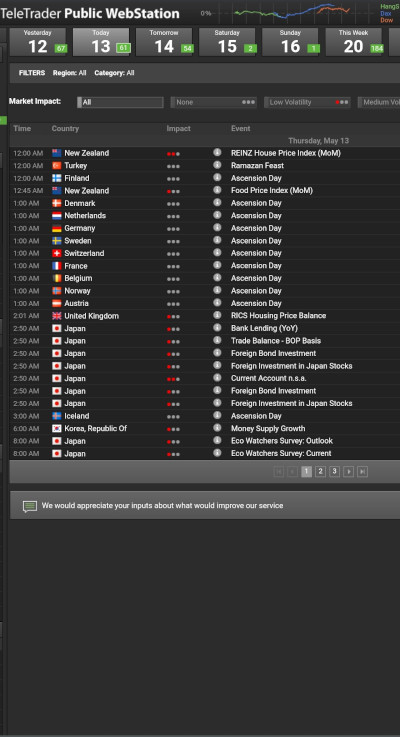
Baha.com offers a mobile app called baha: Stocks, Markets '#038; News. In addition to multiple other things, it offers an economic calendar, which is much easier to use than the mobile web version. Time browsing is rather limited, and there are only two filters available — impact and country. Revisions are completely ignored.
Dukascopy
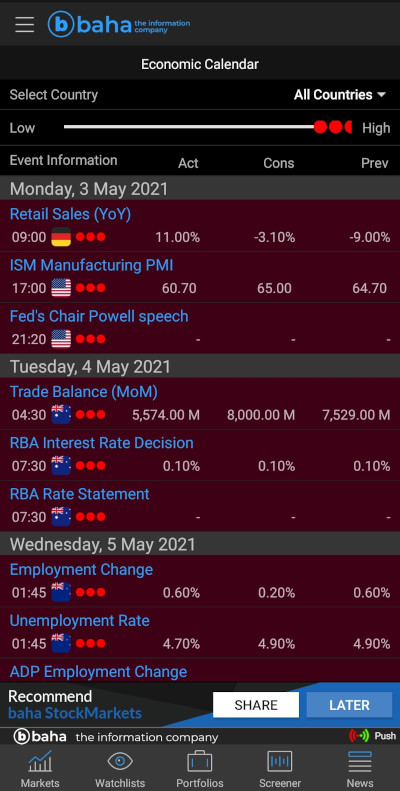
Dukascopy's calendar is not mobile-friendly at all. It retains all the main features of the desktop view, but the site does not fit the browser window horizontally, and sometimes browsing options do not fit properly unless your phone is in a landscape orientation. At least now you can scroll the site horizontally.
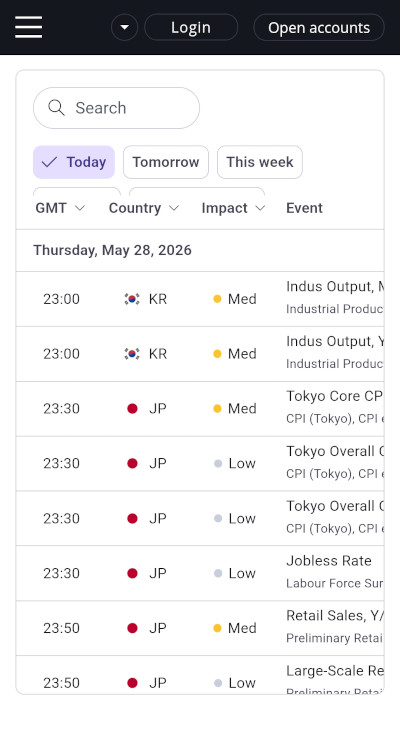
Dukascopy's calendar is available in an app called Swiss Forex (published by Dukascopy). The calendar in the app is more user-friendly and includes the same filtering options as the website.
Econoday
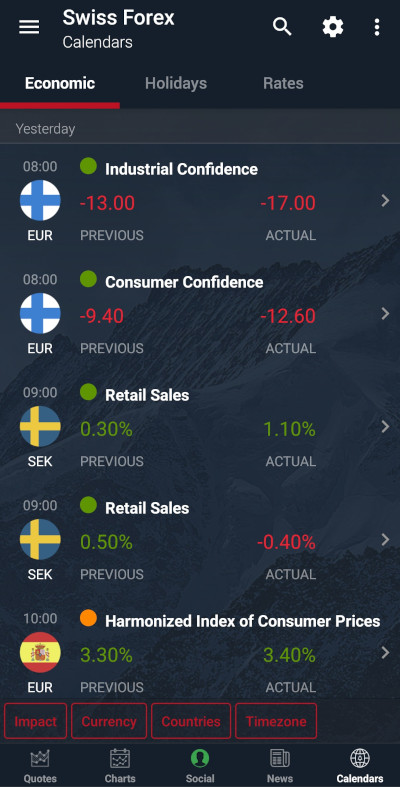
It is a relatively mobile-friendly website. Unfortunately, it lacks a weekly view. On the other hand, it has the same filtering options as the desktop version. Additionally, you can easily browse through the days and months of the current year.
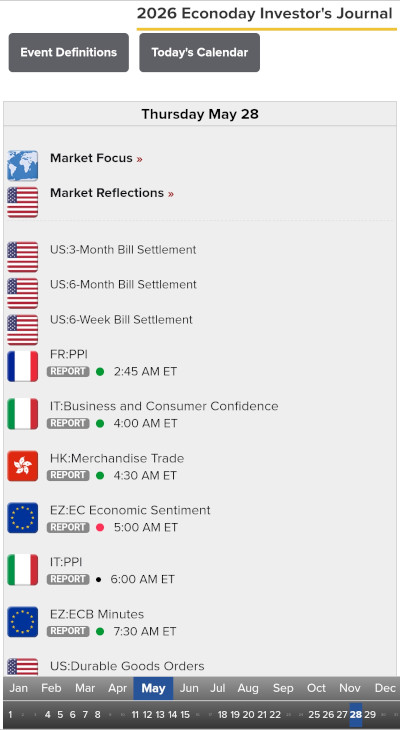
Currently, Econoday does not offer a calendar app for mobile devices.
Forex Factory
This calendar could be a great example of a mobile-friendly website. Still, despite having lots of interface features transferred at a top-notch quality level, it only shows the Actual values for all announcements in the event list. You have to click on the specific announcement to view the Previous and Forecast values. And you cannot see the pre-revision value, though you can still tell if the Previous value has been revised.
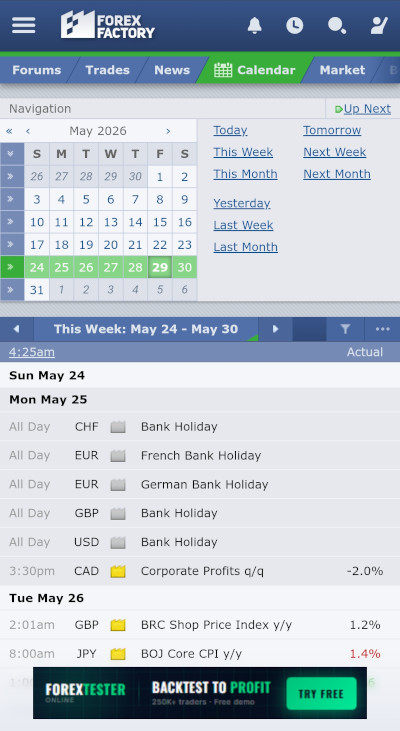
No official Forex Factory calendar app is available for your phone. There is an app called Forex Factory Calendar in the Google Play Store, but it has nothing to do with Forex Factory or economic calendars in general, for that matter.
FXStreet
It offers a mobile version of the website, which is almost on par with the desktop version. You can use the same filtering options as in the desktop web calendar, even allowing you to set custom date ranges. Unfortunately, revisions aren't even shown.

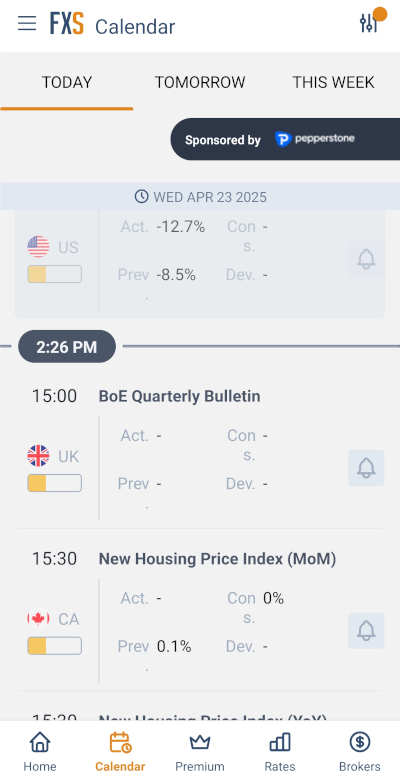
The app offered by FXStreet features a calendar with a simple layout but, for the most part, suffers from the same issues as the webpage for mobile browsers. It has an impact filter but lacks the event type filter. You cannot switch the dates; you can only choose today, tomorrow, and this week. Time zone settings are not available, and the calendar defaults to your local time. Unlike the web version, the app lets you see revisions but in a weird way. It shows an unrevised value by default. To see the revised value, you need to open the event.
IG
Offers a mobile-friendly website that does a great job of providing nearly the same information as the desktop version of the calendar. It even allows you to set a custom date and use a keyword search!
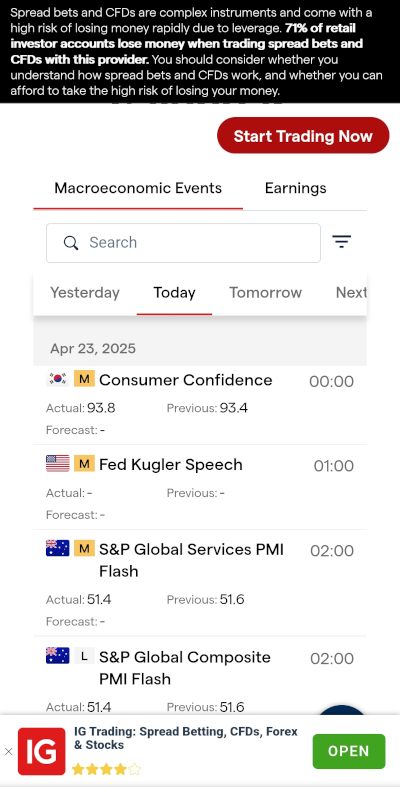
The iOS and Android apps are available for the IG calendar. It has almost the same design and offers the same information as the mobile web browser version, including the keyword search and custom date features.
Investing.com
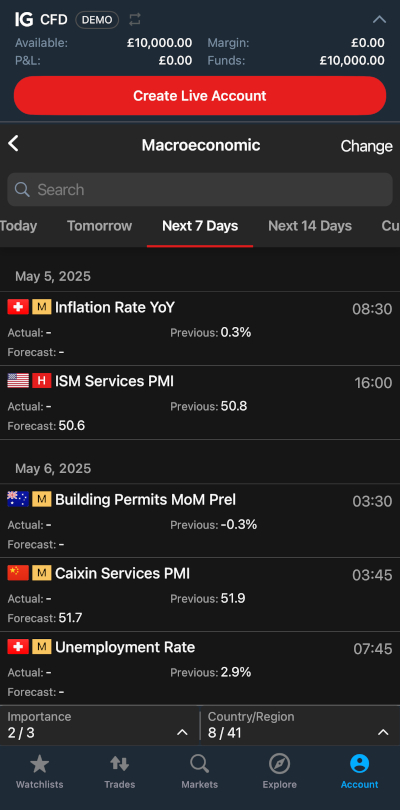
The mobile version of the calendar is riddled with ads but is built to be rather convenient. It has the same time browsing options as the desktop version, including the ability to select custom dates, as well as the ability to search for events by entering keywords. Revisions are marked, and pre-revision values are easily available by tapping the revised value.

The app for mobile devices offers mostly the same capabilities as the web version. However, the app lacks the event category filter.

MQL5.com
MQL5.com calendar flawlessly transfers almost all the features from the desktop web version to the mobile web version. You can even set date ranges, though, unfortunately, it is impossible to select a custom date range. Everything is displayed in a clear and concise way. The revisions and pre-revision values are shown.
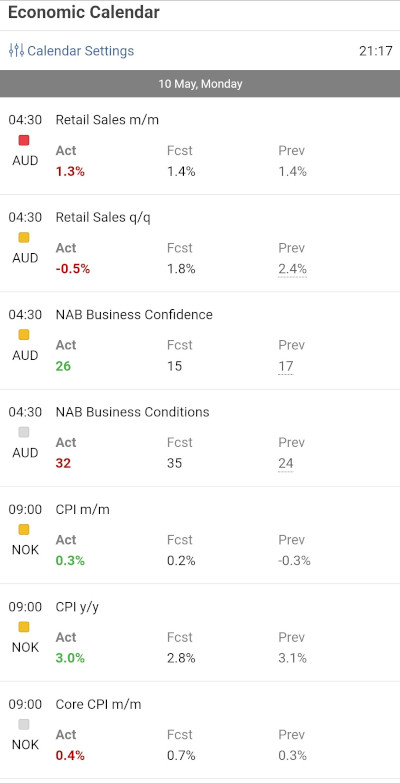
The MQL5.com mobile app is called Tradays. It performs basic functions but is far from ideal. Time-browsing is performed by either scrolling the event list to the necessary date or by scrolling the dates list to the required week and tapping the necessary date. Filtering can be done by importance and country, but not by currency. Revisions are not shown and not even indicated. To see an unrevised value, you need to choose the event you want and then go to the History tab.
Myfxbook
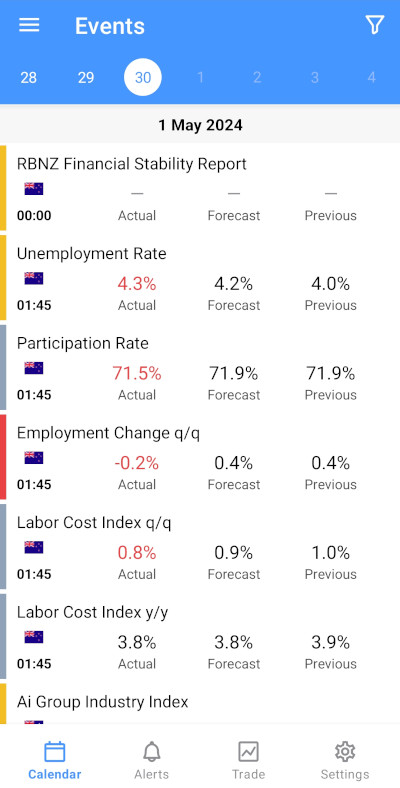
Myfxbook is very mobile-friendly, having largely the same features as the desktop web version, even allowing you to set custom date ranges in the filtering options and search events by keywords, which can include an event name, currency, country, and impact. The mobile version does not show a specific time for releases, the same as the desktop version. If you wish to learn when exactly the next release will happen, you need to choose the event and look at the Next Release section. The revisions are indicated. If you wish to see the pre-revised value, you have to click on the event and then on the previous value, though, strangely, it will also be shown on the calendar if you click the Back button on your phone.
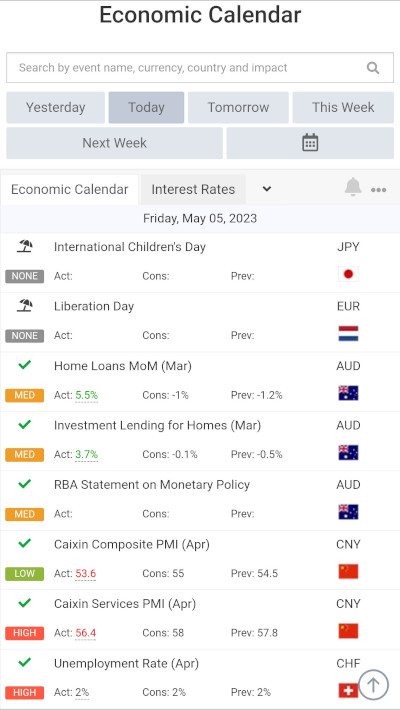
The Myfxbook mobile app is available for Android and iOS mobile platforms. It has slightly crippled functionality — you cannot set arbitrary date ranges for time browsing. Also, the revised previous values aren't shown. The app has one advantage over the web version, though — you can choose in the options whether to show the event release time as a countdown (similar to the web version) or as a regular time.
Trading Economics
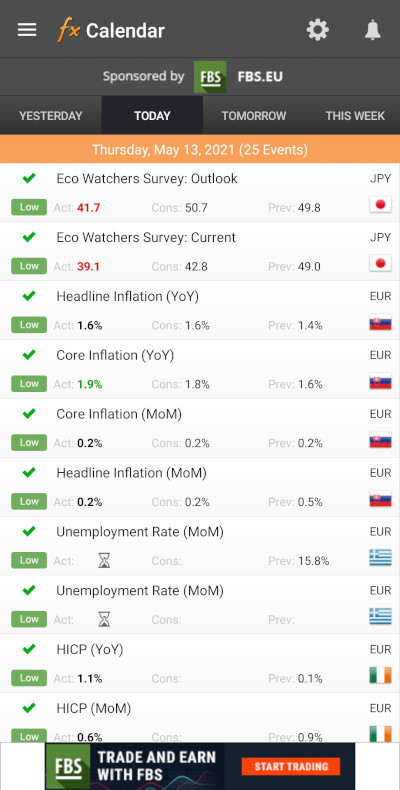
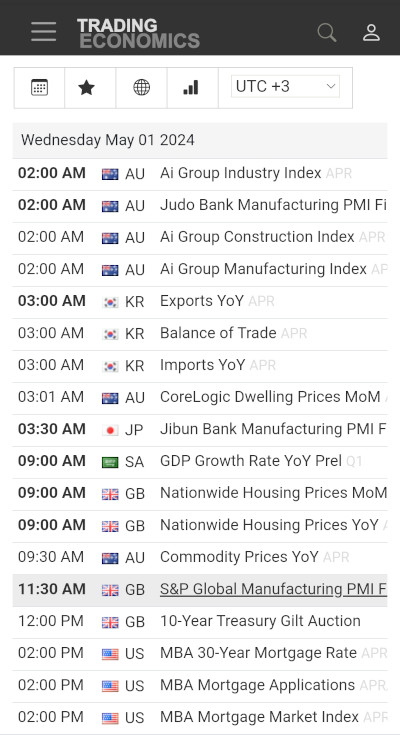
The calendar is relatively mobile-friendly but not convenient to use at all. All interface features are there, including advanced ones, like charts and alerts. However, to see the data in the list of events, you need to scroll horizontally as it does not fit the screen. Revisions are shown but not the pre-revision values.
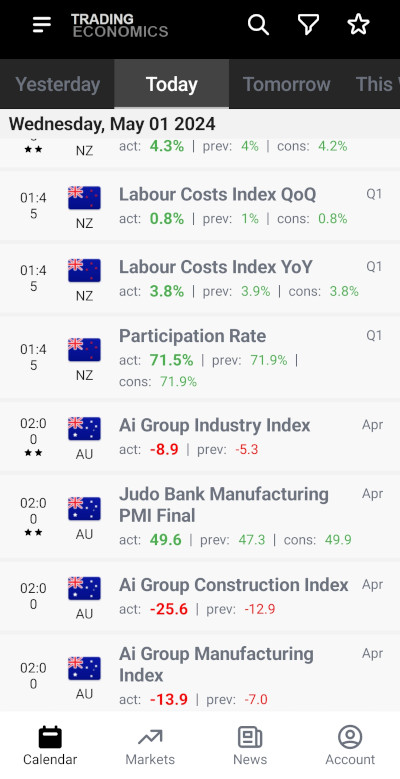
The calendar is available via the official Trading Economics app. It is much easier to use than the calendar's web version, as it shows all the information necessary in the list of events. On the downside, the app lacks a custom date range selection tool. But it offers a watchlist to track events. Revisions are not shown.
Delays
For the most part, the calendars have been updating actual values in a timely manner. Dukascopy was a very unusual case this year. It fared extremely poorly in April, sometimes having delays up to a week or even more, and sometimes not updating at all. That seemed to change in May as the calendar returned to updating in a timely manner and continued this trend in June.
Notification
Notifications can alert you about a news event with sound or other means, even when you aren't watching the calendar. Here is how different calendars from our top 11 work with notifications:
- BabyPips.com — none.
- baha.com — none.
- Dukascopy — none.
- Econoday — none.
- Forex Factory — alerts are available for every event. You can turn on or off the options for notifications in the header, the browser, and the email. You can also choose when to be notified: with a 2-hour, 1-hour, and 10-minute warning, as well as when the data is released. The service is available only to registered users.
- FXStreet — offers sound notifications for all events, which are turned off by default. You have to be registered to get notifications this way. Notifications are sent 30 minutes before the release as well as immediately after the release. You can also add alerts to a calendar by downloading a file and adding the event to an email calendar of your choosing.
- IG — alerts can be created by downloading a file that adds the event to your email calendar.
- Investing.com — provides an in-depth notification engine with a choice of recurring/one-time alerts, reminders (before notification), and a choice of delivery method (website pop-ups on desktop or push notification to a mobile device). To use notifications, you need to perform free registration on the site.
- MQL5.com — none.
- Myfxbook — offers email notifications, though the feature works only for registered members. It also allows you to add events to Apple, Outlook, Outlook Online, Google, and Yahoo calendars.
- Trading Economics — provides email alerts and reminders but only for registered users. By default, the alerts will be sent at the time of the data release. But if you select the event and go to the Alerts tab, you will be able to separately turn on or off notifications 1 day, 1 hour, 5 minutes before the release, as well as on the actual release. Additionally, you can get notifications when news about the selected events is released.
Loading speed
For many traders, an economic calendar has value only if it loads quickly. In this regard, the performance of all eleven researched websites is assessed using the service of WebPageTest. The websites were tested using six different geographical locations: US East Coast (Dulles, Virginia, USA), US West Coast (Los Angeles, California, USA), South America (São Paulo, Brazil), Europe (London, United Kingdom), Asia (Tokyo, Japan), and Oceania (Sydney, Australia). The browser was set to desktop Chrome with the default Desktop Browser Dimensions, a Cable connection, and the median of the three first loads has been measured for each calendar from each of the six locations. Then, the average load time was calculated. The results are presented in the table below.
| Website/Location | US East Coast | US West Coast | South America | Europe | Asia | Oceania | Average |
| BabyPips.com | — | — | — | — | — | — | — |
| baha.com | — | — | — | — | — | — | — |
| Dukascopy | 6.54 | 7.56 | 11.05 | 5.71 | 11.73 | 11.89 | 9.08 |
| Econoday | 2.45 | 2.03 | 3.52 | 3.07 | 2.75 | 3.51 | 2.89 |
| Forex Factory | 8.26 | 8.40 | 8.80 | 8.80 | 8.52 | 9.16 | 8.66 |
| FXStreet | — | — | — | — | — | — | — |
| IG | 18.30 | 18.71 | 17.91 | 16.28 | 19.70 | 20.70 | 18.60 |
| Investing.com | 36.56* | 31.60* | 32.48* | 8.70 | 57.88* | 36.61* | 33.97* |
| MQL5.com | 2.04 | 2.72 | 2.33 | 1.76 | 2.07 | 3.35 | 2.38 |
| Myfxbook | 8.76 | 9.16 | 29.19 | 28.56 | 22.32 | 29.98 | 21.33 |
| Trading Economics | 11.55 | 11.78 | 13.43 | 8.90 | 13.56 | 13.85 | 12.18 |
This year, several calendars prevented us from measuring their speed. BabyPips.com and FXStreet implemented protection from bots, which made it impossible to measure their speed. baha.com provided results for the speed test. But due to its requirement to register before being able to see the calendar, the results showed the loading speed of the registration page, not the calendar itself, which made them useless for comparison with other calendars.
Investing.com was a special case as the test timed out after 30 seconds but still produced results, which might not be too reliable. Such results are marked with *. Still, it is safe to assume that loading time was slower than 30 seconds in those cases, making Investing.com the slowest calendar in all regions except for Europe (where the test concluded successfully, showing a relatively decent loading time) as well as the slowest-loading calendar overall.
Among other calendars, which allowed us to test their loading speed successfully, loading time noticeably increased for almost all calendars compared with 2025. The only exception was MQL5.com, which loaded faster in all regions except for Europe. Unsurprisingly, this made MQL5.com the fastest-loading calendar in all regions, except for the US West Coast, and the fastest calendar overall. Econoday remained the fastest-loading calendar on the US West Coast even though its loading speed slowed compared with 2025. Myfxbook replaced IG as the slowest-loading calendar in Europe.
Number of events
A Forex trader who needs to stay informed about all the events related to the currencies he or she trades would be naturally inclined to look for a calendar that offers the maximum number of events. While the economic calendars do not miss out on any major currency, they curtail the number of news events listed in their economic calendar. Since there is no way to add a custom news event to an economic calendar, it is important to select an economic calendar that offers as many relevant news events as possible. We have calculated the number of events provided by the 11 calendars for the four major currencies (EUR, GBP, JPY, and USD). In the calendars that don't support currency filters, a country filter has been applied to include Japan, the United Kingdom, the United States, and all the countries of the eurozone. The calendar month used for assessing the completeness of an economic calendar was April 2026.
- BabyPips.com — 847
- baha.com — 625
- Dukascopy — 875
- Econoday — 328
- Forex Factory — 325
- FXStreet — 713
- IG — 958
- Investing.com — 1081
- MQL5.com — 768
- Myfxbook — 1021
- Trading Economics — 945
Investing.com is a clear leader in terms of providing the maximum number of economic data items related to the four most traded currencies. Trading Economics, Myfxbook, IG, Dukascopy, and BabyPips.com are also quite heavy on the number of economic reports. On the other hand, Econoday and Forex Factory would be more helpful to traders who are less interested in minor events and variations of the major ones.
Forecast accuracy and similarities
Quite often, a trader will come across differences in the forecast values offered by different calendars. The use of different primary data sources contributes to the difference in forecast values. Are forecasts provided in one calendar consistently better than forecasts offered by other calendars?
To assess the forecast accuracy of economic calendars, we used the ‘US Non-Farm Payrolls’ data, a popular high-impact fundamental indicator, to calculate the mean absolute error of forecasts for the period of 11 months, starting with the report released in August 2025 and ending with the report released in July 2026. While usually that would encompass 12 months, prolonged government shutdowns in 2025 resulted in non-farm payrolls being delayed several times and not being released in November at all. Thus, November was skipped in our calculations.
The following table provides the difference between the forecast and the actual values in thousands for the given month and calendar. For example, if the forecast value was 177k and the actual value was 75k, the difference recorded in the table is positive 102k; if the forecast value was 181k and the actual value was 263k, the negative difference -82k is recorded. The final column is the average of the absolute monthly differences for the sample of 11 observations for the given calendar:
| Website/Month | Aug 25 |
Sep | Oct | Nov | Dec | Jan 26 |
Feb | Mar | Apr | May | Jun | Jul | Avg. |
| BabyPips.com | 37 | 54 | -69 | — | -39 | -5 | -90 | 162 | -128 | -20 | -70 | 53 | 66 |
| baha.com | 37 | 53 | -69 | — | -14 | 10 | -60 | 151 | -118 | -53 | -87 | 53 | 64 |
| Dukascopy | 27 | 53 | -69 | — | -19 | 23 | -75 | 142 | -119 | -60 | -92 | 58 | 67 |
| Econoday | 37 | 55 | -69 | — | -24 | 5 | -60 | 152 | -127 | -52 | -87 | 57 | 66 |
| Forex Factory | 33 | 53 | -66 | — | -13 | 16 | -64 | 150 | -113 | -50 | -87 | 57 | 64 |
| FXStreet | 37 | 53 | -69 | — | -14 | 10 | -60 | 151 | -118 | -53 | -87 | 53 | 64 |
| IG | 37 | 53 | -69 | — | -14 | 10 | -60 | 151 | -118 | -53 | -87 | 53 | 64 |
| Investing.com | 33 | 53 | -66 | — | -13 | 16 | -64 | 150 | -113 | -50 | -87 | 57 | 64 |
| MQL5.com | 59 | 107 | -35 | — | 56 | 50 | -41 | 171 | -184 | -25 | -95 | -14 | 76 |
| Myfxbook | 37 | 53 | -69 | — | -14 | 10 | -60 | 151 | -118 | -53 | -87 | -53 | 64 |
| Trading Economics | 37 | 53 | -69 | — | -14 | 10 | -60 | 151 | -118 | -53 | -87 | 53 | 64 |
The accuracy of forecasts continued the previous year's trend, improving for all of the calendars. Dukascopy was the most notable example, showing much better results than in the previous year. In fact, it improved so much that it gave away its title of the calendar with the least precise forecasts to MQL5, though it still remained less precise than all other calendars, becoming the second least-precise calendar. The rest of the calendars were very close to each other in terms of the precision of their forecasts. In fact, 7 out of 11 calendars demonstrated the exact same average difference in their forecast, which was also a better result than all others: baha.com, Forex Factory, FXStreet, IG, Investing.com, Myfxbook, and Trading Economics.
The calendars of baha.com, FXStreet, IG, Myfxbook, and Trading Economics continued to use the same source for their forecasts. Investing.com continued to be an interesting case. In the prior years, it was also using the same source as the aforementioned calendars, though in 2024, it had minor discrepancies in a few months. This year, the same as in 2025, all the months showed discrepancies, but the differences for each month were extremely minor, making it likely that the calendar continued to use the same source.
Translations
All the top 11 Forex calendars are available in English. However, for the majority of FX traders, English is a foreign language, so it might be preferable for them to access the economic calendar in their native language. The calendars reviewed here approach this issue in different ways:
- BabyPips.com does not offer its calendar in any language other than English.
- baha.com offers its website and calendar in French, German, Hungarian, Italian, Polish, Russian, and Spanish translations. For the German version, everything is translated, while for the other versions, only the interface is translated, whereas the names and descriptions of events remain in English.
- Dukascopy doesn't offer many translations of its economic calendar despite the fact that the website itself is available in a number of foreign languages. The only translation available is in Japanese, and even then, it is only partial, with names of countries in the filter and the names of events and their descriptions remaining in English.
- Econoday does not provide any translations of its calendar.
- Forex Factory offers the website only in English.
- FXStreet offers its website and the economic calendar in 13 languages apart from English. The languages are Arabic, Chinese (traditional), French, German, Hungarian, Indonesian, Italian, Japanese, Portuguese, Russian, Spanish, Turkish, and Vietnamese. The translations are very professional and thorough.
- IG offers its service in Spanish and Chinese (both traditional and simplified). Almost everything in the Spanish version is translated, except for event descriptions. In the traditional Chinese version, the interface is translated, but event names and descriptions are in English. The simplified Chinese version of the calendar is barely translated.
- Investing.com offers high-quality translations of its website and calendar in the following 23 languages: Arabic, Chinese (simplified and traditional), Dutch, Finnish, French, German, Greek, Hebrew, Hindi, Indonesian, Italian, Japanese, Korean, Malay, Polish, Portuguese, Russian, Spanish, Swedish, Thai, Turkish, and Vietnamese.
- MQL5.com calendars in non-English languages are well done. You can use it in Chinese (Simplified), French, German, Italian, Japanese, Portuguese, Korean, Russian, Spanish, and Turkish.
- Myfxbook offers its calendar in 21 languages (in addition to English). For French, German, Hindi, Malaysian, Polish, Portuguese, Russian, Spanish, Swedish, Thai, Turkish, and Vietnamese, the translations are very good, with only minor interface elements left untranslated. Conversely, for Chinese (both traditional and simplified), Czech, Indonesian, Japanese, Korean, Latvian, Portuguese (Brazilian), Slovak, almost nothing is translated.
- Trading Economics provides services in 13 languages in addition to English: Arabic, Chinese, French, German, Indonesian, Italian, Japanese, Korean, Polish, Portuguese, Russian, Spanish, and Turkish. The event details can be read in the listed languages. The calendar is fully translated into all available languages. Even descriptions are translated.
Trading Economics reduced the number of available languages and is now lagging behind Investing.com and Myfxbook. Still, it and FXStreet provide a reasonable number of options for traders who want a calendar in languages other than English. BabyPips.com, Dukascopy, Econoday, and Forex Factory will be of little use to traders with a poor understanding of English.
Extra features
Some calendars offer extra features that deserve to be mentioned. The list compiles the additional features, if any, in each of the calendars being researched:
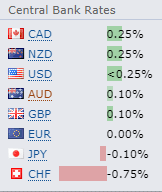
Forex Factory — displays the major central bank interest rates in a sub-window for quick reference.
FXStreet — offers a special dashboard for each news event. This dashboard, in addition to the abovementioned amazing historical chart, features three volatility charts that show how a chosen currency pair (you can select from EUR/USD, USD/JPY, GBP/USD, AUD/USD, and USD/CAD) behaved statistically following the given news announcement. The first chart is the True Range one with 15-minute and 4-hour true ranges (plus average true ranges) plotted for several years of historical releases:
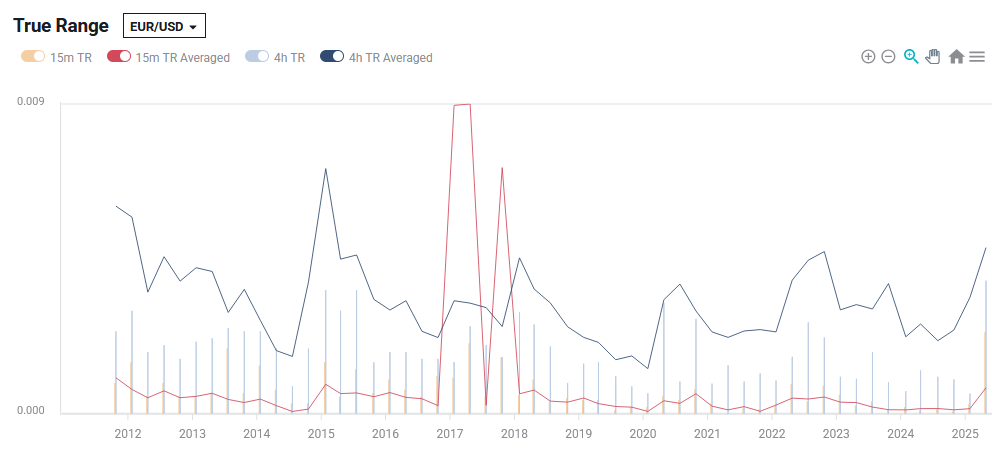
The second chart is the Volatility Ratio one with 15-minute and 4-hour VRs (plus average VRs) plotted for several years of historical releases:

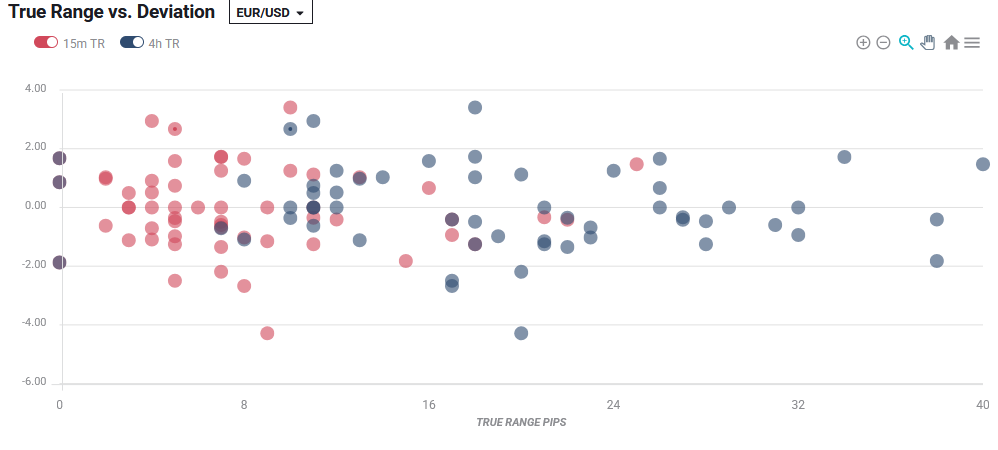
The third chart is the most interesting one — True Range vs. Deviation. It plots the 15-minute and 4-hour true range against the deviation of the actual value from the forecast. As a result, you can see how the currency pair's volatility correlates with larger news surprises. For example, here is the True Range vs. Deviation chart for EUR/USD and ISM services PMI:
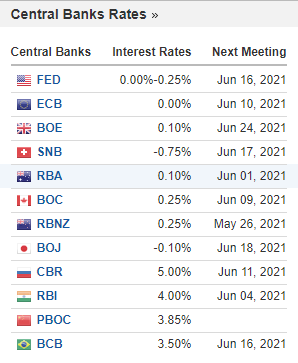
Investing.com — displays the time remaining for the upcoming news releases. There is also a handy link to the holiday calendar. There is an option to use an AI to describe, analyze, and explain the market impact of an indicator. Also, the central bank rates are available on the right sidebar:
Myfxbook — in addition to the date and time of each event, the calendar displays the time remaining till each event. This might come in handy to quickly assess the remaining time. The calendar also has tabs that show interest rates and holidays.
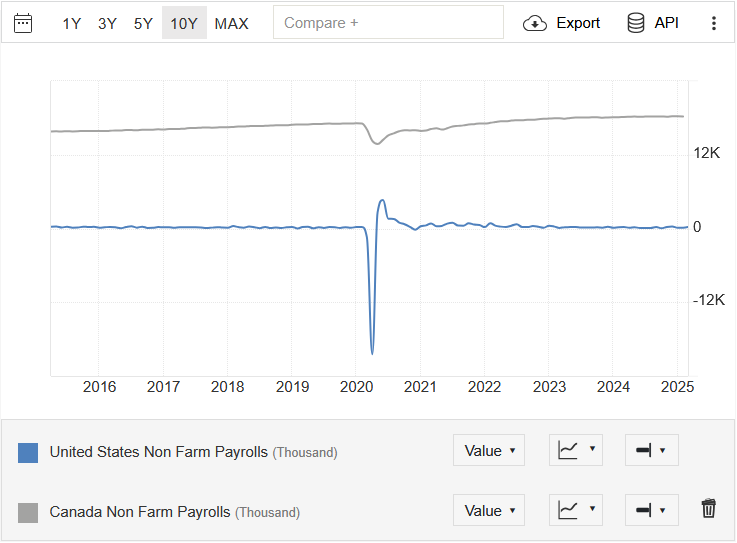
Trading Economics — provides a chart-based comparison of economic indicators. For example, you can compare the US non-farm payrolls with the Canadian employment change:
Advertisements
Most calendars use advertising as their main source of revenue. This allows them to provide free data services to all traders but cripples the calendar's usability. Some calendars use advertisements sparsely, while others can be overloaded with ads. Here, we review the situation with advertisements on Forex calendar websites:
- BabyPips.com — has one banner above the calendar and one banner below it. They don't distract from browsing at all. The calendar also shows a pop-up with an offer to donate, but it shows only the first time you visit the site.
- baha.com — has no ads on the calendar page.
- Dukascopy — the calendar is on the broker's website, so there are no ads at all.
- Econoday — doesn't show any ads.
- Forex Factory — has a sliding side banner and a bottom banner. The former can be somewhat distracting.
- FXStreet — opens with a full-screen ad that you have to close to continue using the site. Features a banner at the top of the calendar, a full-page background banner, a pop-up bottom banner, and a sliding sidebar with a table of brokers. The ads are very distracting.
- IG — the calendar belongs to the IG broker, so its ad and links to opening an account can be seen below the calendar. It is easy to ignore the ad.
- Investing.com — has a banner above the calendar, multiple normal right-side banners, and a list of brokers below the calendar.
- MQL5.com — features one top banner and one banner below the list of filters. They can be easily ignored.
- Myfxbook — has an interstitial ad, a top banner, a full-page background banner, and a list of brokers below the calendar. The ads can be very distracting.
- Trading Economics — has one top banner and a pop-up bottom banner with a link to paid plans for the calendar. Both are not particularly distracting. Furthermore, neither appears after you register, even on free accounts.
Exporting and printing
Printing calendar events allows traders to work on their trading plan away from the keyboard, which can be useful sometimes. Exporting to printer-friendly formats or spreadsheets allows for the further processing of the economic calendar data. Unfortunately, not all calendars allow such manipulations.
- BabyPips.com — none.
- baha.com — none.
- Dukascopy — none.
- Econoday — none.
- Forex Factory — lets you export the current week as ICS, CSV, JSON, and XML.
- FXStreet — allows the export of the calendar events in CSV and ICS format. You can first apply filters and the date range, and the export function will respect those settings. The actual indicator data (previous value, forecast, and actual value) is not exported.
- IG — none.
- Investing.com — none in the current version of the calendar. The old version, available at https://www.investing.com/economic-calendar-, has an option to print the calendar.
- MQL5.com — doesn't allow exporting or printing but allows accessing the calendar events via its MetaTrader 5 platform.
- Myfxbook — lets you export your filtered view in CSV and XML formats.
- Trading Economics — offers data export and API access to paid subscribers only.
Summary
Use BabyPips.com if:
- You are looking for a simple calendar with basic features.
- You are looking for a calendar that doesn't look congested and flashy.
- You don't need an event-type filter.
- Printing or exporting macroeconomic data is not your priority.
- You can read and understand English very well.
Use baha.com if:
- You wish to study data based on specific events, such as central bank interest rates.
- You wish to quickly know the number of scheduled announcements for a day.
- You prefer an ad-free experience.
- You aren't particular about printing or exporting the calendar.
- The poorly done mobile web version and mediocre mobile app experience don't bother you.
Use Dukascopy if:
- You want to use the calendar without being distracted by ads.
- You don't need detailed descriptions of events.
- You aren't interested in the revised values.
- You don't want to print or export the calendar.
- You are not bothered by a rather lackluster mobile version of the calendar.
- You are fine with having only an English version of the calendar.
Use Econoday if:
- You want a simple, distraction-free calendar.
- You wish to have a detailed description of events.
- You would like to monitor only the most important events.
- You want a calendar that loads really fast.
- You don't want to see any ads.
- You don't want to print or export the calendar.
- You aren't looking for an auto-update feature.
- You want to go through hell to browse past years' events.
- The English version of the calendar is the only version you need.
Use Forex Factory if:
- You want the best forecast accuracy.
- You want a detailed explanation of the indicators.
- You regularly use historical graphs/data.
- You are looking for a well-organized and clean-looking calendar.
- You prefer accurate and timely reporting with clear revision marking and annotation.
- You need a relatively fast-loading calendar.
- You would like to have various options for exporting the calendar.
- You can read and understand English very well.
- You don't want to stare at a long list of events.
Use FXStreet if:
- You need the auto-update feature.
- You want to filter events by category simultaneously with keywords or custom dates (though not both at once).
- You prefer an in-depth study of the economic data.
- You want to export the calendar events to CSV or ICS.
- You want to use event notifications.
- You don't mind an abundance of ads.
Use IG if:
- You would use a keyword search to find events.
- You want distraction-free browsing with a sleek, modern interface.
- You often need to look back to a particular date to check past events.
- You wish to quickly know the number of scheduled announcements for a day.
- You don't mind a small number of languages other than English.
Use Investing.com if:
- You prefer detailed explanations.
- You wish the calendar page to auto-update and show the latest values.
- You want to be able to search events by keyword.
- You have a need for a calendar of market holidays in a lot of countries.
- You aren't bothered by too many ads occupying the calendar page.
- You don't mind waiting for the calendar to load.
Use MQL5.com if:
- You prefer an uncongested, lean calendar.
- You wish the calendar page to auto-update and show the latest values.
- You want nice historical charts of the macroeconomic indicators' values.
- You like browsing your calendar on mobile.
- You like your calendar to load very fast.
- You want to be able to load calendar data via the MetaTrader 5 platform.
- You don't use event notifications.
- You don't mind forecasts being less accurate than in other calendars.
Use Myfxbook if:
- You want to set custom date ranges easily.
- You want to export the calendar in CSV or XML formats.
- You want to get email notifications of upcoming announcements.
- You need historical charts of past indicator values.
- You don't mind waiting for the calendar to load.
Use Trading Economics if:
- You wish to monitor nearly all the economic data of a country.
- You want to compare two events on the chart.
- You want the event values to auto-update.
- You do not want any ads to bother you.
- You don't mind registering to create a watch list and portfolio for real-time economic news.
That is all for our 2026 review of the top economic calendars. The research will help you in choosing the right Forex calendar for your analytical needs. Of course, you can always use not just one but several calendars that fit your requirements.


