One more question, How can I set the condition of % or currency unit loss for per trade basis and not the overall floating loss basis?


Account Protector
- Thread starter Enivid
- Start date
- Watchers 216
You are using an out of date browser. It may not display this or other websites correctly.
You should upgrade or use an alternative browser.
You should upgrade or use an alternative browser.

Not sure what "% or currency unit loss" mean, but you can filter conditions by currency pairs using the Filters tab.One more question, How can I set the condition of % or currency unit loss for per trade basis and not the overall floating loss basis?
I mean to say if any one position is in $50 loss. then close half of it. and leave remaining positions. Currently it close 50% of all loosing positions once condition is met (50$ drawdown)Not sure what "% or currency unit loss" mean, but you can filter conditions by currency pairs using the Filters tab.
The filters should work for you if your trades are in separate currency pairs. If they are all with the same currency pair, same magic number, and same commentary, then the filters won't help.I mean to say if any one position is in $50 loss. then close half of it. and leave remaining positions. Currently it close 50% of all loosing positions once condition is met (50$ drawdown)
yes. it is usually Gold only.. Was setting up Demo account to run EA.The filters should work for you if your trades are in separate currency pairs. If they are all with the same currency pair, same magic number, and same commentary, then the filters won't help.
Attached File(s)
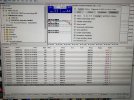
Perhaps, it makes sense to just use a stop-loss on each trade in your case?yes. it is usually Gold only.. Was setting up Demo account to run EA.
yeah.. thats right.. but this is demo account.. just took trades to have some trades running in Drawdown so I can test EA.. this is not my real account..Perhaps, it makes sense to just use a stop-loss on each trade in your case?
But instead of account level of Floating drawdown. If we can do it on Trade level drawdown. that will be great. Reason of this is.
1st Entry.. Running in $100 drawdown
2nd Entry Running in $50 drawdown
3rd Entry Running in $10 drawdown
now when EA will activate.. it will close half of all 3 entries.. whereas if it close only 1st Entry, so we have better chances of recovering account and closing all in profits. as 3rd Entry is more likely to turn blue any moment. So may be in future release if you can add this feature to check condition separately for each entry rather than Floating Loss for all trades combined, that will be awesome. Thanks.

Dear fellow trader.yeah.. thats right.. but this is demo account.. just took trades to have some trades running in Drawdown so I can test EA.. this is not my real account..
But instead of account level of Floating drawdown. If we can do it on Trade level drawdown. that will be great. Reason of this is.
1st Entry.. Running in $100 drawdown
2nd Entry Running in $50 drawdown
3rd Entry Running in $10 drawdown
now when EA will activate.. it will close half of all 3 entries.. whereas if it close only 1st Entry, so we have better chances of recovering account and closing all in profits. as 3rd Entry is more likely to turn blue any moment. So may be in future release if you can add this feature to check condition separately for each entry rather than Floating Loss for all trades combined, that will be awesome. Thanks.
I suggest you make the trade method simple. It is very essential.
Account Protector has been updated to version 1.12. It brings some important changes. I recommend reading the changelog before updating:
- Added an option to connect conditions ticked on the Conditions tab with logical AND (WaitForAllConditions). This means that you can make the Account Protector react only when all the selected conditions are met, not just one of them. (Via GitHub)
- Added an option to connect Account Protectors using a signal action/condition. (@Almon)
- Added display of the daily opening balance for daily profit/loss percentage conditions. (@Tonywong131)
- Added input parameters to disable any condition.
- Added conditions based on the current account balance. (@GBPMaster)
- Added an option to execute orders in asynchronous mode in MT5 (AsyncMode).
- Added an input parameter to make the EA disable autotrading when equity trailing stop is hit (DisableAutoTradingOnTS).
- Added informative tooltips to most panel elements.
- Added an option to modify the Emergency button's behavior. If CloseOtherChartsOnEmergencyButton is set to true, the button will close all other charts instead of disabling autotrading.
- Added logging of order execution results in MT5.
- Changed the order of actions triggering to make sure that Close all other charts takes priority. (@Nico DFM)
- Changed how the positions closed via the Close action are filtered by profit/loss. They now ignore the profitable/losing options from the Filters tab and instead use the respective action setting. (@MrMaths)
- Changed how conditions are logged to avoid logging disabled conditions.
- Fixed initial daily balance calculation for cases when CountFloatingInDailyPL is set to true. (@Tonywong131)
- Fixed log file name to be exactly the same as given via the LogFileName input parameter. (@EnrichWave)
- Fixed a bug when the bottom condition on the Conditions tab could get overwritten by another condition (if enabled via input parameters).
- Fixed a bug with commission calculation in MT5.
- Fixed descriptions of some conditions.
Hello,
As soon as I attach the EA to the chart, I get these errors:
2025.01.26 12:26:47.062 Expert Account Protector AUDJPY,H1: removed
2025.01.26 12:26:47.062 Account Protector AUDJPY,H1: uninit reason 8
2025.01.26 12:26:47.062 Account Protector AUDJPY,H1: not initialized
2025.01.26 12:26:47.062 Account Protector AUDJPY,H1: zero divide in 'Account Protector.mqh' (1381,143)
Can you check, please?
Thank you.
As soon as I attach the EA to the chart, I get these errors:
2025.01.26 12:26:47.062 Expert Account Protector AUDJPY,H1: removed
2025.01.26 12:26:47.062 Account Protector AUDJPY,H1: uninit reason 8
2025.01.26 12:26:47.062 Account Protector AUDJPY,H1: not initialized
2025.01.26 12:26:47.062 Account Protector AUDJPY,H1: zero divide in 'Account Protector.mqh' (1381,143)
Can you check, please?
Thank you.
Which platform are you using (MT4 or MT5)? Which build?Hello,
As soon as I attach the EA to the chart, I get these errors:
2025.01.26 12:26:47.062 Expert Account Protector AUDJPY,H1: removed
2025.01.26 12:26:47.062 Account Protector AUDJPY,H1: uninit reason 8
2025.01.26 12:26:47.062 Account Protector AUDJPY,H1: not initialized
2025.01.26 12:26:47.062 Account Protector AUDJPY,H1: zero divide in 'Account Protector.mqh' (1381,143)
Can you check, please?
Thank you.
What version of the Account Protector?
MT4 Version: 4.00 build 1431Which platform are you using (MT4 or MT5)? Which build?
What version of the Account Protector?
Account Protector 1.12
Are you connected to the trading account?MT4 Version: 4.00 build 1431
Account Protector 1.12
Anyway, please try the attached version and let me know if it works for you.
Attached File(s)
-
Account Protector.ex4 687.3 KB · Views: 2
Yes, I am connected to the trading accounts (even if the market is closed now).Are you connected to the trading account?
Anyway, please try the attached version and let me know if it works for you.
Two different brokers, same MT4 version, same issues.
The EA version you provided does not show any error messages, and it seems to be working!
Thank you!
Account Protector has been updated to version 1.121 to address the potential division by zero situation reported by @FraTheKing.

Hello,Discuss Account Protector expert advisor here. This EA lets you control your orders and positions with a chart panel. You can ask any questions about this MetaTrader tool here.
Installation and basic use tutorial:
Thank you for this nice and useful EA.
Can you add please: "Enable autotrading tomorrow" or "Enable autotrading after [Input] days" in the "Actions" tab please?
Thank you so much.
Please use the existing Timer feature for that.Hello,
Thank you for this nice and useful EA.
Can you add please: "Enable autotrading tomorrow" or "Enable autotrading after [Input] days" in the "Actions" tab please?
Thank you so much.
I mean, after an Action "Disable Autotrading", the new option "Re-enable autotrading the day after or tomorrow" will re-enable the autotrading (with all previous Account trading parameters).Please use the existing Timer feature for that.
Sorry, now I understand. I have to add Account Protector in another chart and use the Timer option to Enable Autotrading. Thank youPlease use the existing Timer feature for that.
Hello,
I would like to suggest an improvement to your EA.
I use the timer with the "Local time" option selected:

When MT4/MT5 restart, the EA does not remember that option and switch it to "Server time".
It would be nice if it could keep the previous setting/option when MetaTrader restarts.
Thank you.
I would like to suggest an improvement to your EA.
I use the timer with the "Local time" option selected:
When MT4/MT5 restart, the EA does not remember that option and switch it to "Server time".
It would be nice if it could keep the previous setting/option when MetaTrader restarts.
Thank you.
Similar threads
- Replies
- 11
- Views
- 5K
- Replies
- 68
- Views
- 23K
- Replies
- 17
- Views
- 7K
- Replies
- 7
- Views
- 2K
- Replies
- 23
- Views
- 7K