
Popular results
Position Sizer
Calculate risk-based position size directly in your MetaTrader platform and execute a trade in one click or a press of a button.What Is Forex
Learn what Forex is and how it works from this simple explanation.Supertrend
Download the Supertrend indicator for MT4 and MT5 to detect trend changes based on the price action.Position Size Calculator
Calculate your position size based on risk, stop-loss, account size, and the currencies involved. A simple online calculator for quick results.Volume Color Indicator for MT4/MT5/cTrader
Volume Color is a simple but useful MetaTrader/cTrader indicator that displays the volume of every bar as a vertical histogram bar anchored to the bottom of the main chart window. Unlike, the standard Volume indicator available MetaTrader, the histogram is colored according to the price bars, not based on the rising or falling volume. Each bar is colored based on whether the price closed above or below its open: bullish bars get one color, bearish bars another. This lets you read volume in the same eye-line as price, instead of switching focus between the price chart and a separate volume pane. The indicator is available for MetaTrader 4, MetaTrader 5, and cTrader.
Input parameters
- Volume type: in MetaTrader 5 you can choose between tick volume and real volume. Only available for certain instruments. MetaTrader 4 and cTrader use tick volume only, since real exchange volume is not available on those platforms for most instruments.
- Bar height (% of visible price range): sets how much of the visible chart height the volume bars are allowed to occupy. The largest volume currently in view fills this height, and other bars are scaled proportionally. Smaller values keep the bars out of the way of price action; larger values make low-volume bars more readable.
The volume bars rescale automatically when the chart is scrolled, zoomed, or its vertical scale is changed, so they always sit at the bottom of whatever portion of price action is currently visible.
Example charts
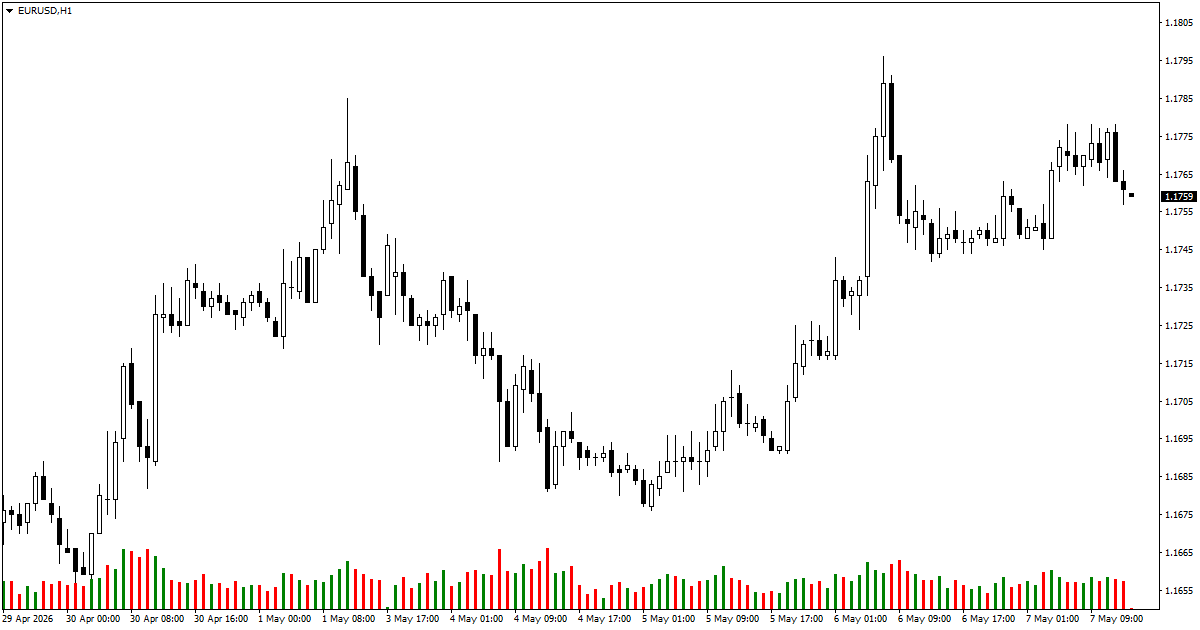
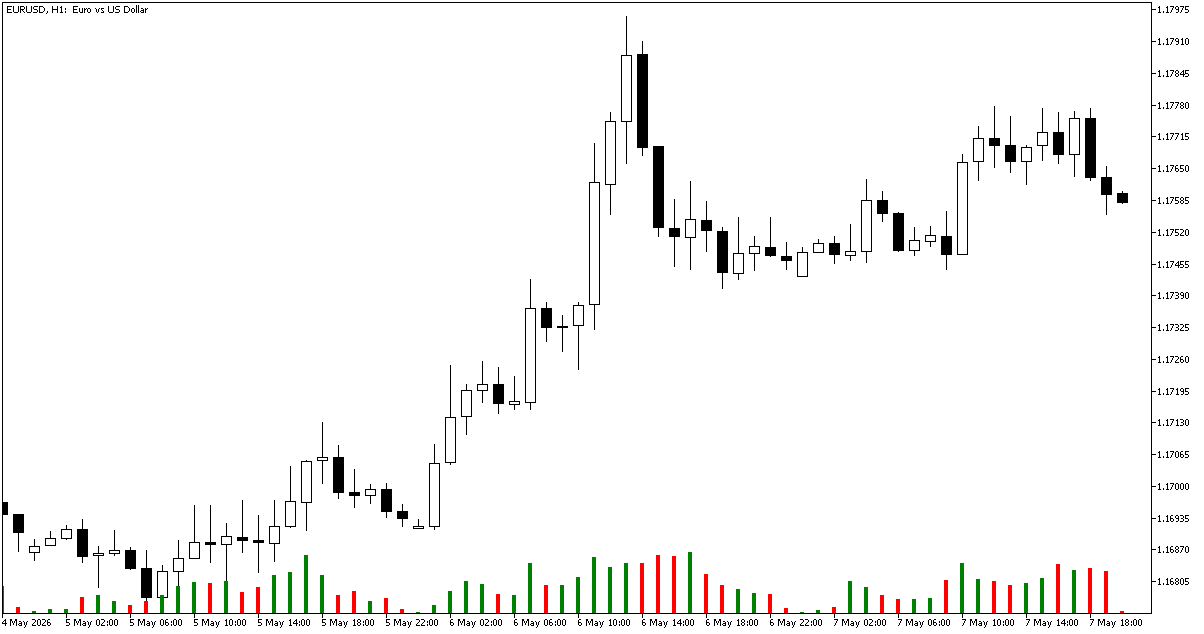
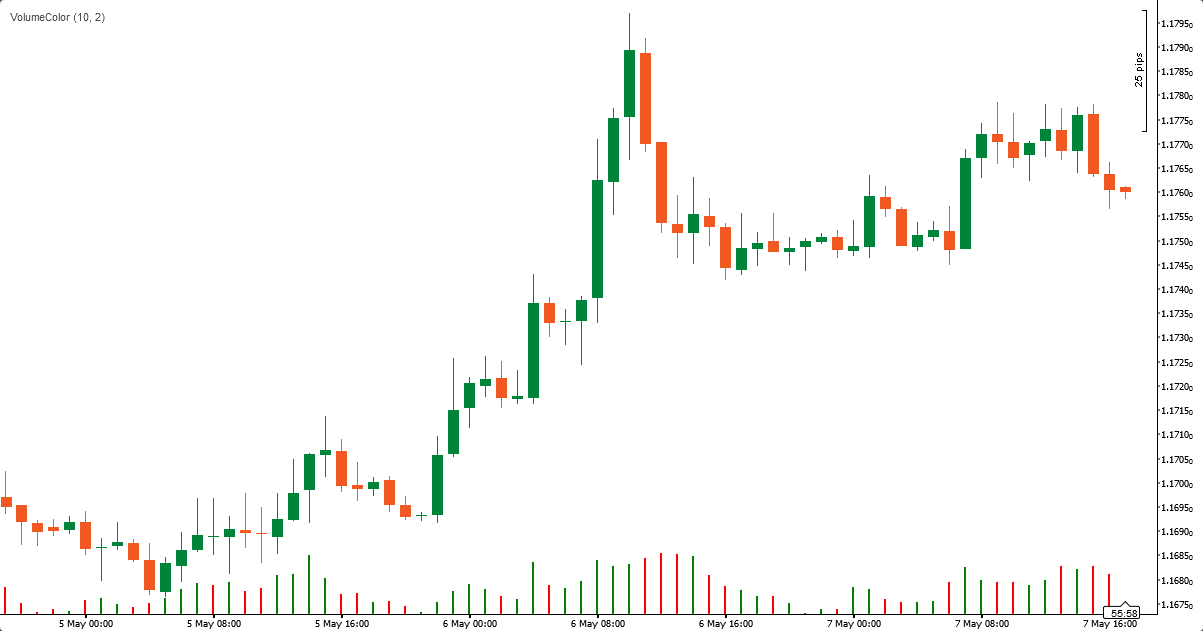
The example charts below show volume bars anchored at the bottom with bullish bars in green and bearish bars in red. Because the bars share the chart with price, swings in volume are immediately visible alongside the candles that produced them.
MetaTrader 4
MetaTrader 5
cTrader
Strategy
The main use case is reading volume in context. Comparing volume on bullish versus bearish bars at key support/resistance levels, range edges, or trend turns can hint at where conviction is and isn't without forcing you to split your attention between two panes. Bursts of one-sided volume into a level often precede continuation; bursts followed by the opposite color frequently mark exhaustion. Volume reading is particularly important in Volume Spread Analysis.
Download (ver. 1.00, 2026-05-11)
Volume Color for MetaTrader 4 in .mq4
Volume Color for MetaTrader 4 in .zip
Volume Color for MetaTrader 5 in .mq5
Volume Color for MetaTrader 5 in .zip
Volume Color for cTrader in .cs
Volume Color for cTrader in .zip
You can open a trading account with any of the MT4 Forex brokers to freely use the presented here indicator for MetaTrader 4. If you want to use an MT5 version of the indicator presented here, you would need to open an account with a broker that offers MetaTrader 5. If you are with a cTrader broker, then you would need to download the cTrader version of the indicator above.
Discussion
Warning!
You can read how to install this indicator in our MetaTrader Indicators Tutorial or cTrader Indicators Tutorial.
Do you have any suggestions or questions regarding this indicator? You can always discuss Volume Color with the other traders and coders on our forums.
Changelog
1.00 - 2026-05-11
- Initial release of Volume Color indicator for MT4, MT5, and cTrader.


