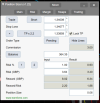
cTrader Position Sizer

1. Incorrect Position Size
The Position Sizer calculates lot sizes correctly for forex pairs and metals. However, when trading indices, it places orders with position sizes that are nearly 100 times larger than expected. Could you help me identify and fix this issue?
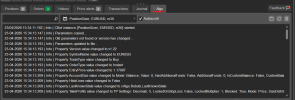
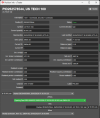
That might happen when the broker is reporting incorrect or zero tick value. Could you please let me know what's the output in the Algo tab?
1776958646988.png
Also, you can just let me know the broker's name and which symbols you are getting the problem with, so I could test it.
2. Pending Orders Not Placed at Specified Levels
When I place a pending order using the Position Sizer, the order is executed a few points above or below the intended level. This problem does not occur in the MT5 version, where it works as expected.
Do you mean that a pending order isn't created at your given entry price or that it's getting executed (when the price gets there) at a slightly different price?
If it's the first one, then how do I reproduce this? Which settings and symbol are you using?
If it's the second one and you are using stop orders, that's slippage.
 
I’m using IC Markets, and I’ve tested this across three other brokers/prop firms as well.

Algo Screenshot:
Algo.png

Issue 1 – Order Placement (cTrader):

I adjusted my levels and used Shift + T to place a trade.
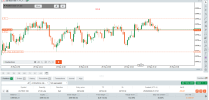
However, the order gets placed below the intended levels (it hasn’t triggered yet).
This issue consistently occurs on cTrader, while everything works correctly on MetaTrader 5.
Order Placing issue.png


Issue 2 – Lot Size Calculation:
For the same setup with a $500 risk:
  • On MetaTrader 5, the lot size is calculated correctly.
  • On cTrader, the trade opens with nearly 10× larger lot size, which is incorrect.
mt5 position size.png
IC markets.png
 
Issue 1 – Order Placement (cTrader):
I adjusted my levels and used Shift + T to place a trade.
However, the order gets placed below the intended levels (it hasn’t triggered yet).
This issue consistently occurs on cTrader, while everything works correctly on MetaTrader 5.
For this issue, I'd recommend first updating your Position Sizer to version 1.22 to make sure you aren't getting the bug that was fixed.
If it's still there, I'd need to see a screenshot where both the Position Sizer's Main tab and the Orders tab of the terminal are visible. The current screenshot doesn't show much to work with.
Issue 2 – Lot Size Calculation:
For the same setup with a $500 risk:
  • On MetaTrader 5, the lot size is calculated correctly.
  • On cTrader, the trade opens with nearly 10× larger lot size, which is incorrect.
Unfortunately, I cannot test this issue with IC Markets. What other brokers you are getting this issue with? I just did with Fusion Markets and the calculated size was correct.

Also, could you please post a screenshot showing your PS's Main tab setup and the resulting trade in the terminal's Positions tab?

Thanks!
 
I have updated it to version 1.22, but the issue still persists.

I am using it with prop firms, and the issue occurs with their brokers as well.

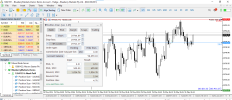
I am attaching screenshots of the Position Sizer Main tab and the Orders tab.

Also, I am attaching the same trade position with MT5 position sizer. It works perfectly fine in MT5


Main Tab - Position Sizer.png
Orders Tab.png

MT5 screenshot.png
 
  • ℹ️
Reactions: Enivid
I have updated it to version 1.22, but the issue still persists.

I am using it with prop firms, and the issue occurs with their brokers as well.

I am attaching screenshots of the Position Sizer Main tab and the Orders tab.

Also, I am attaching the same trade position with MT5 position sizer. It works perfectly fine in MT5


View attachment 37804
View attachment 37805

View attachment 37806
Could you please attach screenshot of an open position in US TECH 100 with open price, current price, and profit/loss visible?
 
So, I opened a position where I wanted to risk $500.

Position Sizer Main tab Screenshot: (Almost 10X the supposed lot size)
Nas100.png

Open Position with Stop Loss:
SL.png


Open position with Take Profit:
TP.png


Now the same position with MT5 (correctly calculated the lot size)
MT5.png
 
  • ℹ️
Reactions: Enivid
So, I opened a position where I wanted to risk $500.

Position Sizer Main tab Screenshot: (Almost 10X the supposed lot size)
View attachment 37811

Open Position with Stop Loss:
View attachment 37812


Open position with Take Profit:
View attachment 37813


Now the same position with MT5 (correctly calculated the lot size)
View attachment 37815
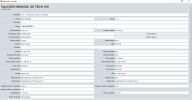
Thanks! Sorry for asking so many screenshots, but could you please click the 'i' symbol near the position and attach its screenshot here? Like this:
1779781309667.png
 
Here is the screenshot:
View attachment 37823
Yeah, I found the problem. In fact, it calculates the position size correctly. Unfortunately, it doesn't detect the broker's commission correctly. The commission type reported via cAlgo is 'UsdPerMillionUsdVolume' even for trading instruments that are 'PercentageOfTradingVolume' in reality (like this US TECH 100). I am not yet sure if this can be fixed on the Position Sizer's side somehow. It should actually be fixed in cTrader itself, but perhaps I'll come up with a feasible workaround for this in the next version.
 
I think I've found a little bug, I've upgraded to the new v1.22 and its seemingly not correctly calculating my TP. I have asked for a 2.2 R2R, and when it does the calculations it knows that I have asked for this but produces something else. I don't quite understand what it is doing to help you better, but the calculation that it is performing is wrong as far as I can see. I have had a quick look to see if I have some other strange setting somewhere that could be causing this but I've not found one.

Here you will see that the input is for a 2.2 R2R, but the output is 1.86. I could manually move the TP after the trade was placed to get the 2.2, so it was possible. It was not the case that the account was too small and the pip size too high


Screenshot 2026-05-28 092224.png
 
I think I've found a little bug, I've upgraded to the new v1.22 and its seemingly not correctly calculating my TP. I have asked for a 2.2 R2R, and when it does the calculations it knows that I have asked for this but produces something else. I don't quite understand what it is doing to help you better, but the calculation that it is performing is wrong as far as I can see. I have had a quick look to see if I have some other strange setting somewhere that could be causing this but I've not found one.

Here you will see that the input is for a 2.2 R2R, but the output is 1.86. I could manually move the TP after the trade was placed to get the 2.2, so it was possible. It was not the case that the account was too small and the pip size too high


View attachment 37838
Actually, it's calculated correctly. You told it to set TP at exactly 2.2x of the SL distance (6.8 pips) and it did (14.9 pips). The risk-to-reward ratio calculates to 2.20 on inputs (pre-commission), but results in 1.86 on a resulting trade (post-commission). If you want the TP-setting function to take into account your commission (so that the resulting R/R is the same as your given multiplier), you need to set the 'Use Commission to Set TP Distance' input parameter to true.
 
  • 👍
Reactions: threepe
Actually, it's calculated correctly. You told it to set TP at exactly 2.2x of the SL distance (6.8 pips) and it did (14.9 pips). The risk-to-reward ratio calculates to 2.20 on inputs (pre-commission), but results in 1.86 on a resulting trade (post-commission). If you want the TP-setting function to take into account your commission (so that the resulting R/R is the same as your given multiplier), you need to set the 'Use Commission to Set TP Distance' input parameter to true.
That's awesome thank you. That must be a new feature that is working since the update as I had hoped for that feature to work in the past. Your explanation makes great sense, so thank you.

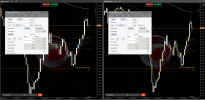
So, the commission part does not seem to work. Here is a split screen, one with the option to set TP Distance as True, and the other set to False. Both windows show the same result, unfortunately.

1779974586742.png
 
Last edited:
  • ℹ️
Reactions: Enivid
That's awesome thank you. That must be a new feature that is working since the update as I had hoped for that feature to work in the past. Your explanation makes great sense, so thank you.

So, the commission part does not seem to work. Here is a split screen, one with the option to set TP Distance as True, and the other set to False. Both windows show the same result, unfortunately.

View attachment 37844
That's definitely a bug! I will look into this.
 
Hi! Is there a way to use buy/sell stop limits, without using the "Stop Price" Box at all?

I want to enter on breakouts, but a "Buy Stop Order" will massively slip me causing all sorts of problems when it comes to trade management.

Is it possible to instead use a "Buy Stop Limit Order" instead that would just put the limit order at the breakout, exactly when the breakout occurs?

If so, can it be done without using the Stop Price box in the Trading Tab? Writing out numbers or using copy paste is almost always too slow to put the order in time. Or would it be possible to put a hotkey for Stop Price also, or maybe a setting to closely follow the entry price level by a specific offset in pips (including 0 pips lol).

If possible, could this be available in MT5 too?

Thanks!
 
Hi! Is there a way to use buy/sell stop limits, without using the "Stop Price" Box at all?

I want to enter on breakouts, but a "Buy Stop Order" will massively slip me causing all sorts of problems when it comes to trade management.

Is it possible to instead use a "Buy Stop Limit Order" instead that would just put the limit order at the breakout, exactly when the breakout occurs?

If so, can it be done without using the Stop Price box in the Trading Tab? Writing out numbers or using copy paste is almost always too slow to put the order in time. Or would it be possible to put a hotkey for Stop Price also, or maybe a setting to closely follow the entry price level by a specific offset in pips (including 0 pips lol).

If possible, could this be available in MT5 too?

Thanks!
No, there is nothing like that in cTrader and MT5 either. If I understand you correctly, you just want the stop-price to be fixed as N points and follow the Entry price automatically (like you can do currently with the SL for example), right?
 
No, there is nothing like that in cTrader and MT5 either. If I understand you correctly, you just want the stop-price to be fixed as N points and follow the Entry price automatically (like you can do currently with the SL for example), right?

Yes, exactly! For my specific use case, I would just want the Stop-Price to be exactly where the Entry Price is (or very very little below it).

But after posting this, I learned that Ctrader operates differently to MT5, and Stop-Limit Orders can't have a Stop-Price, like MT5 does, instead has a "Limit Range" that you can set in pips, that it can trigger the Limit Order. (From my testings, the Stop-Price set by Position Sizer CBOT will not do anything in Ctrader - and that's not a bug, it's just how stop-limit orders work on ctrader) - so my question didn't make any sense for Ctrader (but would make sense in MT5), sorry for that.

Another question or idea for a possible future feature is: Can there be a setting added, that Stop Orders or Stop Limit Orders will be triggered by the Bid Price instead of ask Price for Longs/Buys? (Opposite: Stop Orders or Stop Limit Orders triggered by the Ask Price instead of Bid Price). It is natively possible in Ctrader (, but it has to be manually selected for each new position in the New Order Tab (so it won't work with Position Sizer Cbot - even if setting manually for each trade). I attached a few screenshots to better explain what I mean, if you look at the mouseover text).

Thank you for taking the time!
 

Attachments

  • same direction.png
    same direction.png
    88.6 KB · Views: 0
  • opposite direction.png
    opposite direction.png
    94.3 KB · Views: 0
  • double opposite.png
    double opposite.png
    95.6 KB · Views: 0