Hello.
I have isolated the "Red Text" Error that has just today start to appear today on my side, like to many others before me.
In the quote below is the full explanation what I was doing, but immediatlly after writing all of that I went to troubleshoot and managed to find the issue. I don't know if this is what the others have.
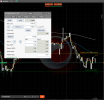
The error happens when you change the first setting "Show line labels" to 'No'.
Now when you press 'H' (Show hide lines) on the keyboard, the Red text of death appears.
If you set it back to 'Yes', the text goes away.
Disregard all of this:
I have isolated the "Red Text" Error that has just today start to appear today on my side, like to many others before me.
In the quote below is the full explanation what I was doing, but immediatlly after writing all of that I went to troubleshoot and managed to find the issue. I don't know if this is what the others have.
The error happens when you change the first setting "Show line labels" to 'No'.
Now when you press 'H' (Show hide lines) on the keyboard, the Red text of death appears.
If you set it back to 'Yes', the text goes away.
Disregard all of this:
I, as many others, encountered the "Red text" error. I use Ctrader only for charting, not entering trades. Position Sizer was working perfectly until today and now the problem keeps reappearing, even after updating from 1.18 to 1.19 version today. I even deleted all files from Cbot folder and completely reinstalled Position Sizer, but to no avail.
From what I see, the problem starts happening the moment I modify any parameter in its settings and press the 'H' (hide) key on my keyboard.
If I just add it to the chart and use it with its default settings, it seems to work ok.
The thing is, it used to work fine before. I always modified settings before (like colours of the lines, etc...) and there was never an error. I was on version 1.18 when it started happening, today I've installed 1.19, but the problem persists.
The issue started happening after I did this:
I have three linked charts open (m5, H1, and Daily). My main focus and work is always from the m5 chart.
I have an instance of Position Sizer on each of them (I add it via Right-Click on each separate chart).
I thought I had the colors set up the same on all of them, but I saw that they were set back to their default values on the H1, so I wanted to change it.
I saved the m5 instance with my correct settings as a preset state and then loaded the same preset on the H1 chart. I thought this is best, so I wouldn't need to set up everything manually for all three charts.
This immediatelly gave me the "Red text" error on that H1 chart.
I went back to my m5 one, and the text started appearing there as well, and now it just won't go away anymore.
I don't add the cBot from the "Algo" panel, since that seems to give me the bot on some other chart and not the three linked ones I have open in the "Trade" panel. I'm new to cTrader, so I'm not quite grasping all the workflow how things should be set up.
So in summary. I add a new instance via Right Click. I click the Play button to start it. I go in the settings and change the first setting. I go out, press 'H' on my keyboard and the error comes on.
Is there a guide somewhere on how we can do that?To the left of the Save button, there is a Load button. You can use it to load the saved settings from the file to modify the parameters.
If you want this to be changed forever in all instances of the Position Sizer without loading the settings file, you have to modify the default parameter values in the source code and re-build the cBot.
Last edited: