GBP/USD ask line and Stop level line

  • Thread starter Thread starter Richebe
  • Start date Start date
  • Watchers Watchers 2

Richebe

Newbie
Sep 9, 2022
4
0
1
71
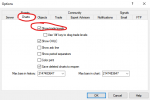
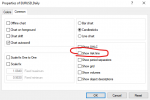
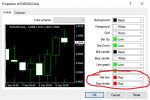
Hello Everyone, I'm new to the forum. Just want to know if anyone has this problem. I use MT4, when I place a GBP/USD trade I can't get the ask line or the stop level lines to show up although I click them on in properties. This seems to only happen with gbp/usd trades, the lines show up normally when I place other trades.
 
Make sure you opened the chart of the currency pair from the same account you are logged into, not a currency pair from another account.
I have only one account from which i trade ... from this i open all my currency pair trades. I see these stop level lines on every other currency pair i trade. Do you think i should uninstall the MT4 platform and reinstall it ?
 
Sometimes you can have more than one currency with the same name in the Market Watch. Make sure the GBP/USD you have the chart open for is written in black font in the Market Watch, not in gray one. Try dragging the "black" GBP/USD from the Market Watch to the chart.
 
  • 👍
Reactions: Richebe
Sometimes you can have more than one currency with the same name in the Market Watch. Make sure the GBP/USD you have the chart open for is written in black font in the Market Watch, not in gray one. Try dragging the "black" GBP/USD from the Market Watch to the chart.
Hey, Thanks for that suggestion! In Market Watch my chart was in grey. I got the lines to show up when i dragged over the gbp/usd SB chart (in black) from Market Watch. All i had to do was to put in an appropriate scaling and bring the chart to the foreground. Gosh, you learn something everyday. Thanks again!!