How to Clear MT4/MT5 unwanted files/data and Speed Up MetaTrader?

shanmugapradeep

Master Trader
Dec 18, 2020
180
16
54
40
Hello,

I noticed that MT4 and my Windows VPS get slower over time, and sometimes MT4/MT5 freezes. I suspect this happens because MT4/MT5 might be leaving large amounts of chart data, cache, or other files that keep loading, causing it to become slower and slower. I know it’s not a VPS problem because when I uninstall and reinstall MT4/MT5, both platforms run super fast again—but after a week or a month, they become extremely slow.

Please tell me where to delete all the unwanted old data, history, and cache to keep MetaTrader fast. Also, is there any MetaTrader plugin or MQL4/MQL5 code that I can add to my EA to clean these data/files automatically?

Thank you.
 
you might be able to check memory being used...... mqlinfointeger might work.......

you can also use task manager to check memory used......

to delete unneeded logs and files just go to the data folder and delete......

check your objects list....... make sure nothing is creating repetitive graphics...... track them down......

there are all sorts of settings to limit graphics....... trade history and trade levels can be turned off......

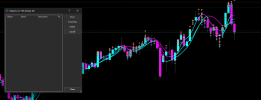
when checking your objects list, if it's greyed out and not selectable, there are none...... if it is selectable, be sure to click list all....... you can see on the chart below it shows no objects, until i click list all...... then it shows 461......

if you create a template , make sure it is not carrying graphics with it.......

just a few thoughts......h

//-------

Screenshot 2025-11-14 194354.png

//-------

Screenshot 2025-11-14 195500.png

//------

Screenshot 2025-11-14 195530.png
 
also, look for anything taking screenshots.......... they can add up.......

deleted charts might have graphics....... if not needed, permanently delete them......

sometimes you can delete them in bulk in the deleted folder in the profiles folder.......

sometimes you have to do it the slow way.......h


environment state clientterminalproperties.....


//-----


MQL5:
 int m   = TerminalInfoInteger(TERMINAL_MEMORY_USED);
 
 int n  = TerminalInfoInteger(TERMINAL_MEMORY_AVAILABLE);
 
 int o = TerminalInfoInteger(TERMINAL_MEMORY_TOTAL);
 
 int p = TerminalInfoInteger(TERMINAL_DISK_SPACE);
 
 int q = TerminalInfoInteger(TERMINAL_MEMORY_PHYSICAL);
 
 
 Print("used "+IntegerToString(m)+" , available "+IntegerToString(n)+" , total "+IntegerToString(o)+"   , disk space "+IntegerToString(p)+" , memory physcal "+IntegerToString(q));
 
If your open your terminal's data folder, there will be the folder called 'bases'. Inside that folder, you will find a folder called the same as your broker's server. You can delete it to clear all chart history. This might help with the terminal being too slow.

You can also delete the log files in <data folder>\logs\ and in <data folder>\MQL5\Logs\.