
Popular results
Position Sizer
Calculate risk-based position size directly in your MetaTrader platform and execute a trade in one click or a press of a button.What Is Forex
Learn what Forex is and how it works from this simple explanation.Supertrend
Download the Supertrend indicator for MT4 and MT5 to detect trend changes based on the price action.Position Size Calculator
Calculate your position size based on risk, stop-loss, account size, and the currencies involved. A simple online calculator for quick results.MACD Multi-Timeframe (MTF) Indicator for MT4/MT5
Moving Average Convergence Divergence is a very old technical indicator, however, it is still quite popular today. With MetaTrader MACD Multi-Timeframe (MTF), you can see the status of the indicator across multiple timeframes in one table. This can be helpful when you want to have a better understanding of the overall price situation.
What is MetaTrader MACD Multi-Timeframe indicator?
MACD Multi-Timeframe (MTF) is a great indicator to see the overall trend of any instrument in your MetaTrader 4 or MetaTrader 5 platform.
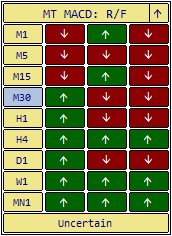
With this indicator, you can see the status of Moving Average Convergence Divergence for all timeframes in one chart.
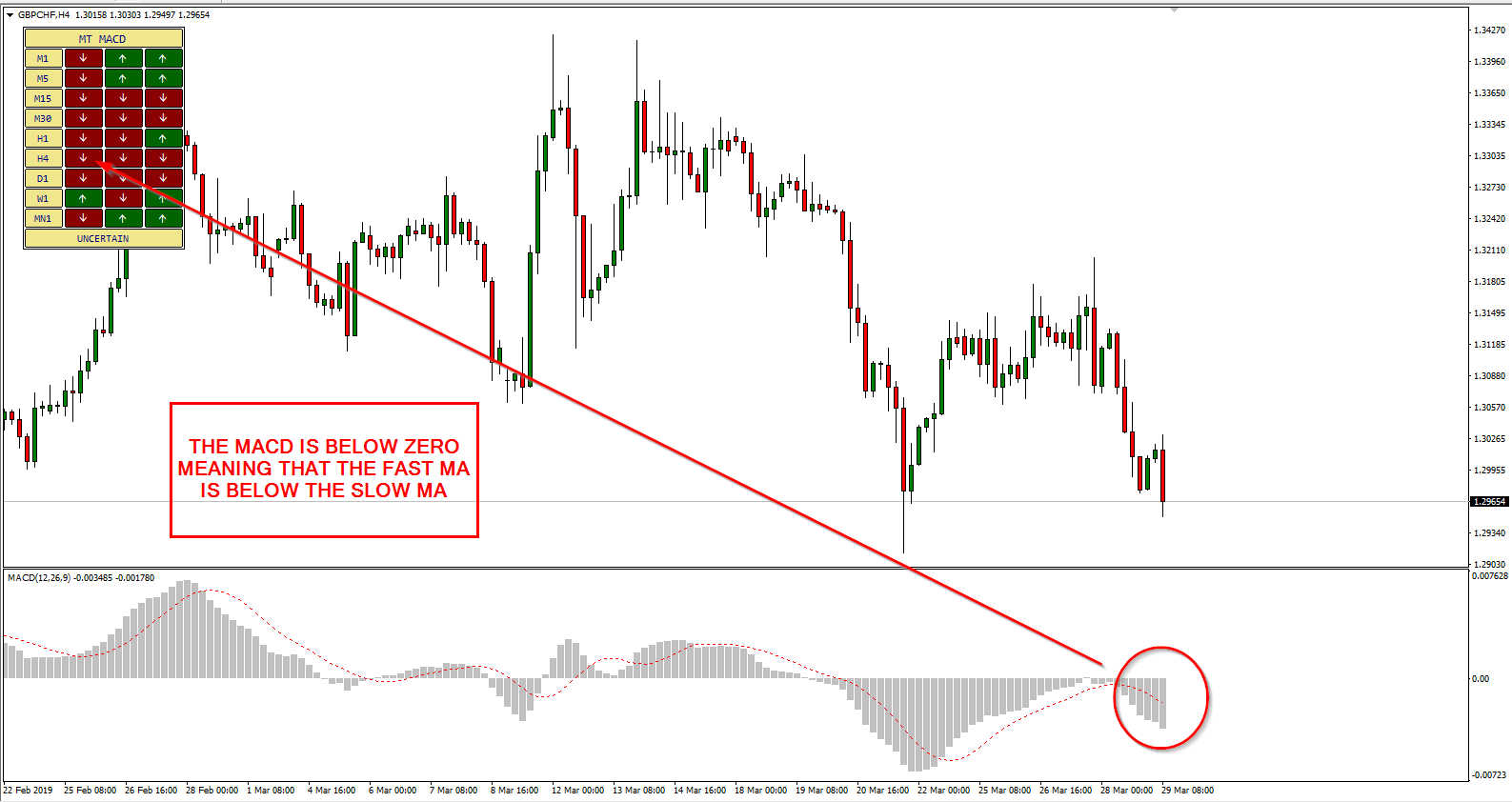
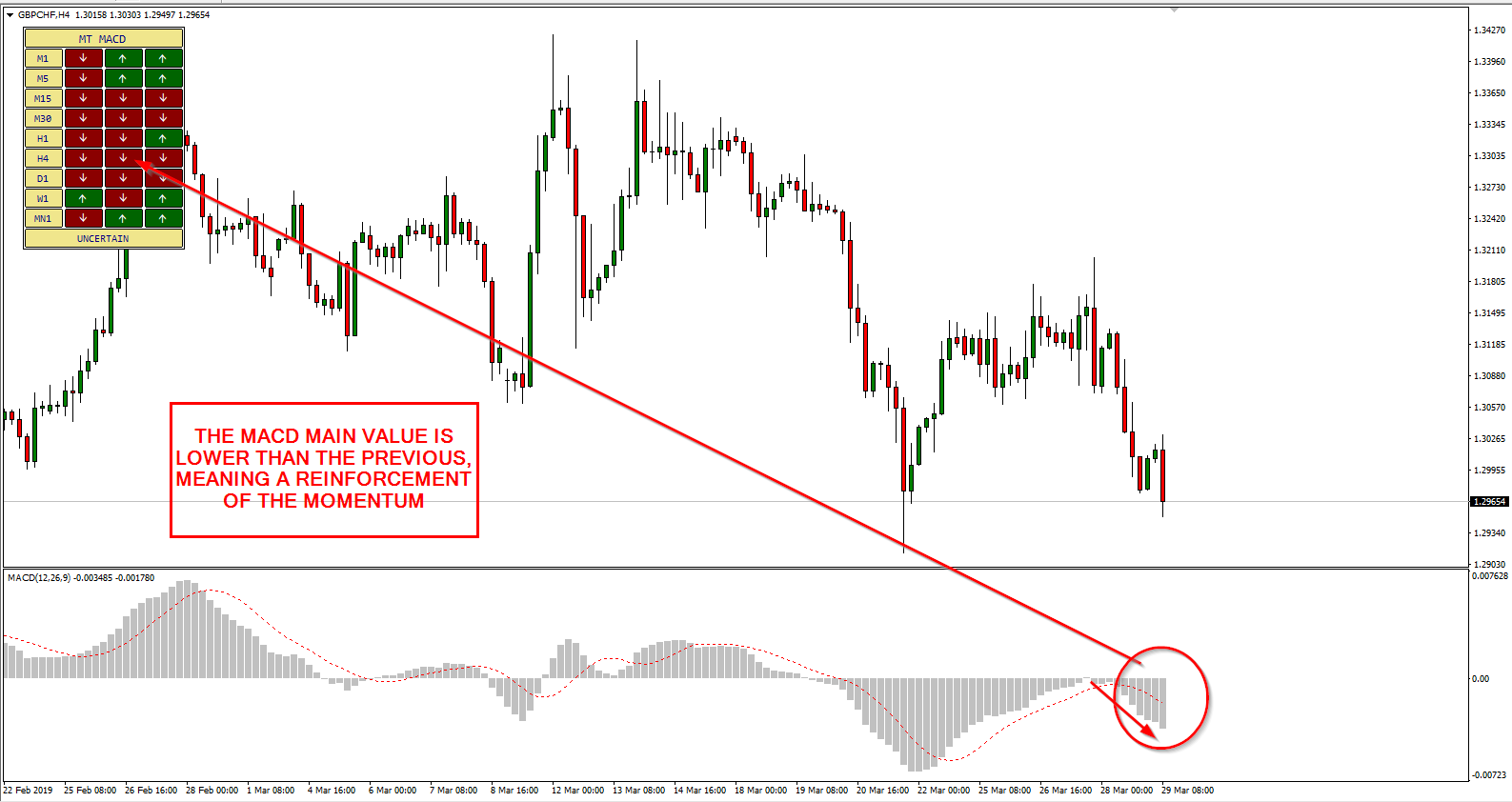
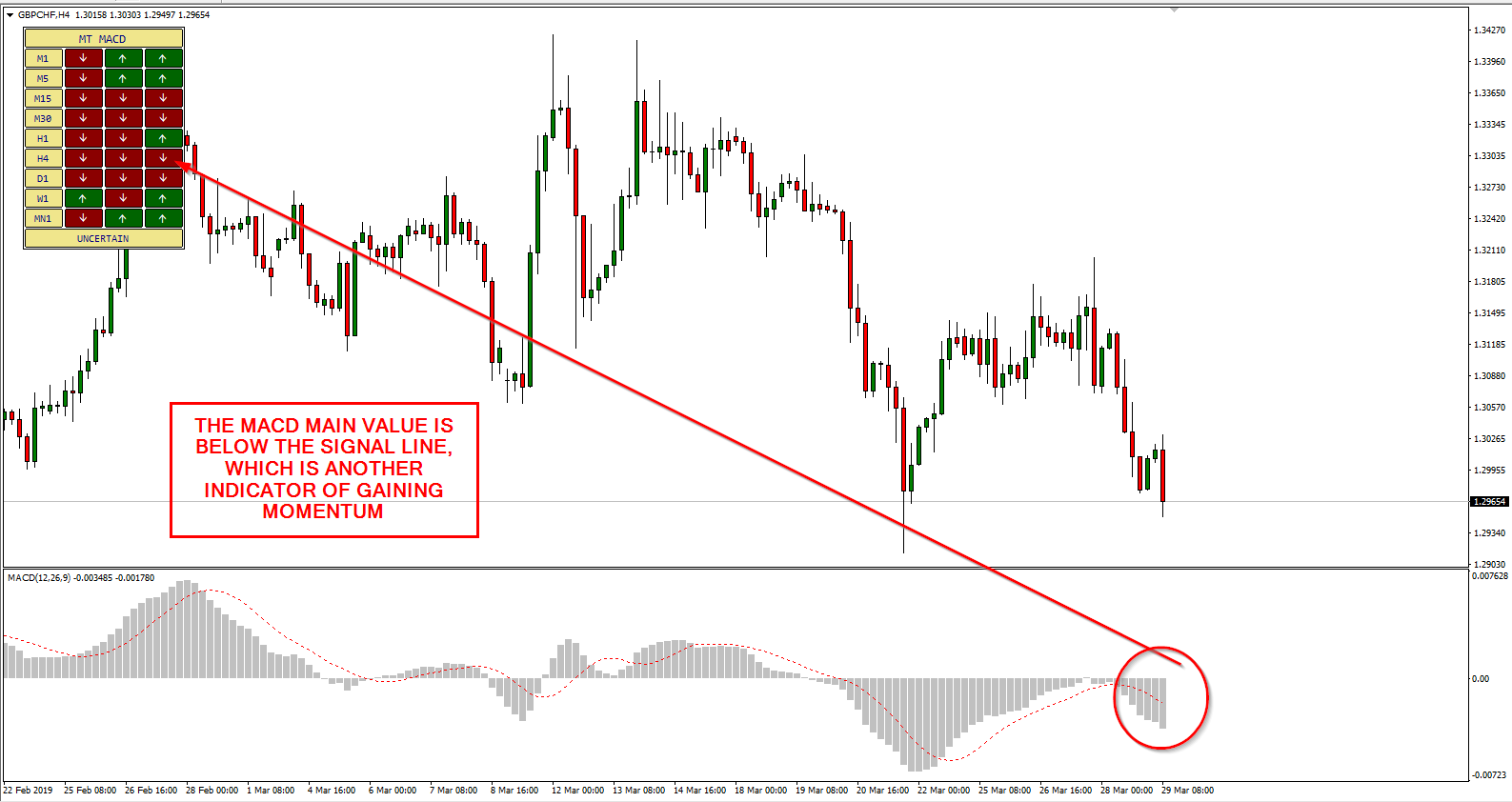
The indicator shows a simple table where for each timeframe, you can see the respective MACD trend.
On the chart, you can also see whether MACD is currently gaining or losing momentum across all timeframes.
Why is MetaTrader MACD Multi-Timeframe useful?
When you check Moving Average Convergence Divergence of the price in MetaTrader, you normally see it for a specific timeframe.
It is almost always useful to see what is its status in different timeframes in order to have a better understanding of the market situation.
If, for example, you check the trend on an H1 chart, it might look like uptrend. However, checking it on a D1 chart may point at a downtrend.
MACD Multi-Timeframe for MT4/MT5 allows you to see Moving Average Convergence Divergence status for all timeframes in a single place.
You can simplify your visual representation and know if an asset or pair is overall going up or going down.
You can use this indicator to improve your entry and exit signal decisions.
The indicator also includes a feature to alert you if the trend changes.
Input parameters
Once you run the indicator, you can set MACD parameters, select timeframes, and configure alerts via its input parameters.
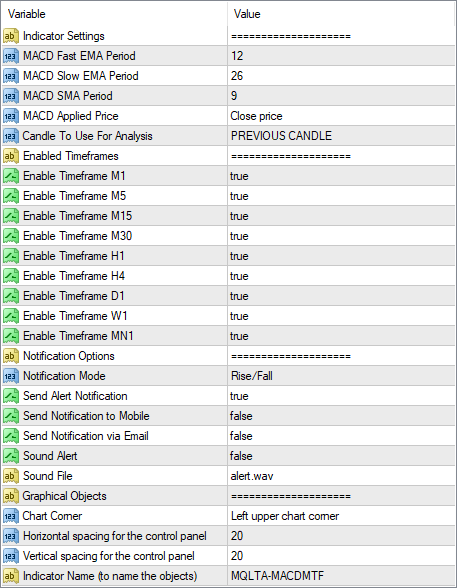
Download (ver. 1.03, 2026-04-06)
You can download for free MT4 MACD Multi-Timeframe indicator through the links below and install it by following the provided instructions.
➥ MQLTA MT4 MACD Multi-Timeframe
➥ MQLTA MT5 MACD Multi-Timeframe
The installation is very easy to perform and so is the use.
MT4 MACD MTF indicator installation
To install the MT4 RSI Multi-Timeframe indicator, please follow the instructions below:
- Download the indicator archive file.
- Open the MetaTrader 4 data folder (via File→Open Data Folder).
- Open the MQL4 Folder.
- Copy all the folders from the archive directly to the MQL4 folder.
- Restart MetaTrader 4 or refresh the indicators list by right-clicking the Navigator subwindow of the platform and choosing Refresh.
For a more detailed instruction on how to perform the installation and a tutorial video please visit this page.
MT5 MACD MTF indicator installation
To install the MT5 RSI Multi-Timeframe indicator, please follow the instructions below:
- Download the indicator archive file.
- Open the MetaTrader 5 data folder (via File→Open Data Folder).
- Open the MQL5 Folder.
- Copy all the folders from the archive directly to the MQL5 folder.
- Restart MetaTrader 5 or refresh the indicators list by right-clicking the Navigator subwindow of the platform and choosing Refresh.
For a more detailed instruction on how to perform the installation and a tutorial video please visit this page.
You can open a trading account with any of the MT4 Forex brokers to freely use the presented here indicator for MetaTrader 4. If you want to use an MT5 version of the indicator presented here, you would need to open an account with a broker that offers MetaTrader 5.
If you are interested in multi-timeframe technical analysis, you can see some other free MTF indicators.
Discussion
Do you have any suggestions or questions regarding this indicator? You can always discuss MACD Multi-Timeframe with the other FX traders and MQL programmers on the indicators forums.
Changelog
1.03 — 2026-04-06
- Added an MT5 version of the indicator.
- Added a possibility to choose specific MACD signals for notifications.
- Added panel scaling for HiDPI screens.
- Added an option to select a chart corner for the panel to appear in.
- Added a sound-only alert type.
- Added input parameter validation during initialization.
- Added a minimize/maximize button to the panel.
- Added highlighting of the current timeframe on the panel.
- Added information about the selected notification type to the panel's caption.
- Changed panel tooltips to more informative ones.
- Cleaned up code from unused variables and functions.
1.02 — 2021-08-26
- Revised the alert system to make it more concise and timely.
- Removed unnecessary input parameters to reduce confusion.
- Reduced object processing overhead, which could cause excessive consumption of computer resources.
- Pruned the source code to make the indicator lighter and future development easier.
- Fixed a bug that caused weird symbols to appear in the panel in place of the up and down arrows.


