
Popular results
Position Sizer
Calculate risk-based position size directly in your MetaTrader platform and execute a trade in one click or a press of a button.What Is Forex
Learn what Forex is and how it works from this simple explanation.Supertrend
Download the Supertrend indicator for MT4 and MT5 to detect trend changes based on the price action.Position Size Calculator
Calculate your position size based on risk, stop-loss, account size, and the currencies involved. A simple online calculator for quick results.Hide/Show Trade Levels Script for MT4 and MT5
Trade levels are the entry, stop-loss, and take-profit prices of open positions and pending orders. By default, MetaTrader displays trade levels on charts as dashed lines. They can be turned on and off via the chart properties and the platform's options, but there is no keyboard shortcut to do it quickly. This is where the Hide/Show Trade Levels script comes in handy.
Hide/Show Trade Levels is a very simple script for MetaTrader 4 and MetaTrader 5. All it does is toggle the visibility of trade levels on the current chart.
Let's say you need to declutter your chart to manipulate some objects or to better read indicator values. With the Hide/Show Trade Levels script, you can do that using a custom hotkey. You can then use the same hotkey to turn the trade levels' display back on.
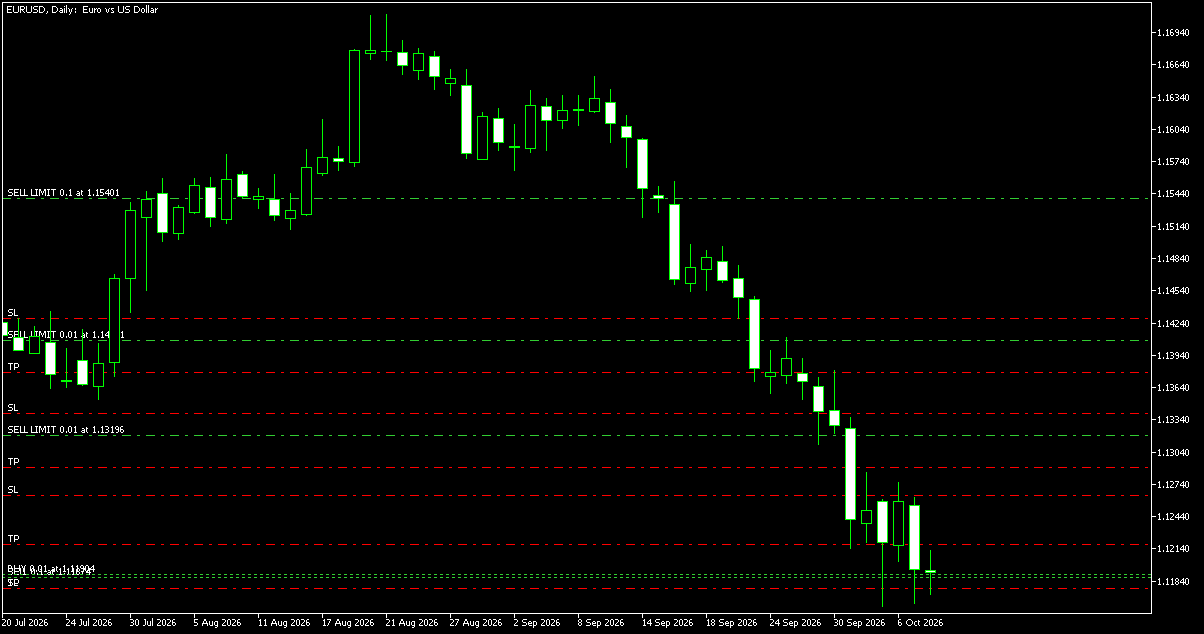
This is what a chart with an abundance of trade levels looks like in MetaTrader 5:
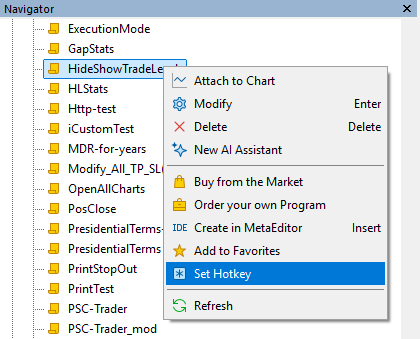
MetaTrader (both MT4 and MT5) lets you assign a hotkey to any script. After you download and install Hide/Show Trade Levels, you will be able to set a keyboard shortcut for it by right-clicking it in the Navigator subwindow and selecting Set Hotkey:
In the dialog that opens, you will be able to select an optional control key (
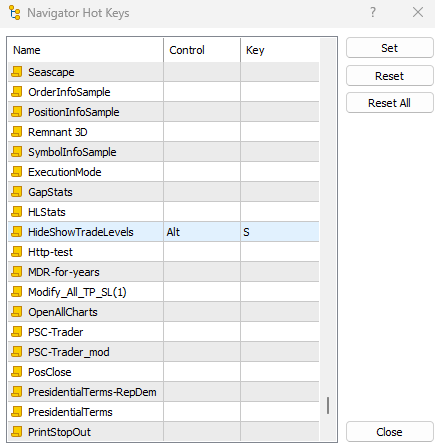
There are no input parameters to configure, and the code is the same for MT4 and MT5. We provide both .mq4/.ex4 and .mq5/.ex5 pairs for your convenience.
The script is free to download and use.
Hide/Show Trade Levels for MetaTrader 4 in .mq4 Hide/Show Trade Levels for MetaTrader 4 in .ex4 Hide/Show Trade Levels for MetaTrader 5 in .mq5 Hide/Show Trade Levels for MetaTrader 5 in .ex5To install the script, please follow the instructions below:
- Download the script file.
- Open the MetaTrader 4/5 data folder (via File→Open Data Folder).
- Open the MQL4 or MQL5 folder.
- Copy the file to the Scripts subfolder.
- Restart MetaTrader 4/5 or refresh the list of scripts by right-clicking the Navigator subwindow of the platform and choosing Refresh.
You can also read a more detailed guide on how to perform the installation.
Discussion
Do you have any suggestions or questions regarding this script? You can always discuss Hide/Show Trade Levels with other FX traders and MQL programmers in our forum.


