
Yes, I use Window. That page is still displayed well. I tried to re-complie but it's still like that. Really don't know why, but every other thing is okay
Try editing the following file: \MQL5\Include\Controls\Defines.mqh
Line 49 should read:
MQL5:
#define CONTROLS_FONT_NAME                  "Trebuchet MS"
Change it to:
MQL5:
#define CONTROLS_FONT_NAME                  "Arial"
Or use some other standard font name.
Then re-compile Position Sizer.mq5.

Please let me know if anything changes.
 
Try editing the following file: \MQL5\Include\Controls\Defines.mqh
Line 49 should read:
MQL5:
#define CONTROLS_FONT_NAME                  "Trebuchet MS"
Change it to:
MQL5:
#define CONTROLS_FONT_NAME                  "Arial"
Or use some other standard font name.
Then re-compile Position Sizer.mq5.

Please let me know if anything changes.
Thank you. It worked. I could see the arrow now.
 
Thank you. It worked. I could see the arrow now.
My best guess would be that for some reason you don't have the Trebuchet MS font installed and that the font, it's reverting to by default doesn't support Unicode characters, so you changing the font to some other solved this.
 
  • 👍
Reactions: EnrichWave and zua
Hi, can anyone please tell me how to set a stop-loss (SL) based on a take-profit (TP), because I only see the option set TP based on SL?
 
@Enivid Hi, I have downloaded the new version. I was hoping an issue had been resolved but it has not. Im not sure if you are actually aware of it.
The issue is - the EA complete freezes randomly. Sometimes it happens in instant mode but it happens every time in Pending.
The chart freezes and if I load a new position sizer its normal again. Im using MT5
 

Attachments

  • earnforexsizer.png
    earnforexsizer.png
    31.8 KB · Views: 1
@Enivid Hi, I have downloaded the new version. I was hoping an issue had been resolved but it has not. Im not sure if you are actually aware of it.
The issue is - the EA complete freezes randomly. Sometimes it happens in instant mode but it happens every time in Pending.
The chart freezes and if I load a new position sizer its normal again. Im using MT5
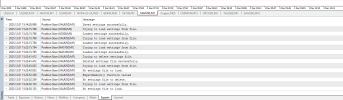
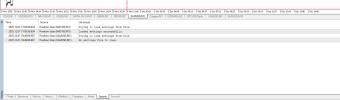
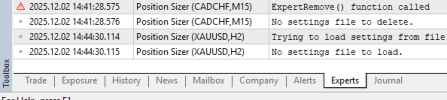
Could you please post what's in the Experts tab log when that happens? Your attached screenshot cannot be opened for some reason.
 
You changed the settings directly in the source code? You can attach the Position Sizer.mq5 file.
This has just happened and I have only noticed this issue on the latest 3.13 version. Pressing the hotkey - H doesn't show the lines. Pressing the hotkey to minimise the panel also doesn't work. Note, I have changed the Minimise and Maximise the panel hotkey to M. Update - just added a scrrenshot from XAU same issue. 1764661577809.png1764661127512.png
 
Last edited:
This has just happened and I have only noticed this issue on the latest 3.13 version. Pressing the hotkey - H doesn't show the lines. Pressing the hotkey to minimise the panel also doesn't work. Note, I have changed the Minimise and Maximise the panel hotkey to M.View attachment 35222
Do you mean that the hotkeys aren't working when the panel freezes or that they aren't working for you at all - right away when you attach the PS to a chart?

As for the freezing issue, I've been running 3 instances of the Position Sizer with your settings (+ pending order) for almost 24 hours now and there is no issue at all. Perhaps, it is some combination of the Position Sizer and the broker environment (or system configuration). Do you get any connection issues with the server?
 
Do you mean that the hotkeys aren't working when the panel freezes or that they aren't working for you at all - right away when you attach the PS to a chart?

As for the freezing issue, I've been running 3 instances of the Position Sizer with your settings (+ pending order) for almost 24 hours now and there is no issue at all. Perhaps, it is some combination of the Position Sizer and the broker environment (or system configuration). Do you get any connection issues with the server?
The hot key H to hide show the line works fine (faster,Instant). and The minimize and Restore PS works slow ( the EA loaded price should get update work fast minimize and restore)

BR
 
Do you mean that the hotkeys aren't working when the panel freezes or that they aren't working for you at all - right away when you attach the PS to a chart?

As for the freezing issue, I've been running 3 instances of the Position Sizer with your settings (+ pending order) for almost 24 hours now and there is no issue at all. Perhaps, it is some combination of the Position Sizer and the broker environment (or system configuration). Do you get any connection issues with the server?
No connections issue with sever. The Freezing is completely separate to the hotkey issue. The Hotkeys wont work as soon as i put the sizer on the chart. Im using a 100% Blank chart and the hotkeys just wont work.
 
No connections issue with sever. The Freezing is completely separate to the hotkey issue. The Hotkeys wont work as soon as i put the sizer on the chart. Im using a 100% Blank chart and the hotkeys just wont work.
Are you perhaps using non-English keybaord layout in Windows? There are no issues with that for me - I just tried M for minimize/maximize and H for hide/unhide with your modified Position SizerSettings.mq5.

By the way, which build of MT5 do you have installed?
 
Are you perhaps using non-English keybaord layout in Windows? There are no issues with that for me - I just tried M for minimize/maximize and H for hide/unhide with your modified Position SizerSettings.mq5.

By the way, which build of MT5 do you have installed?
No, The keybored layout is the English layout. How do I find the details of the MT5 im using?
 
No, The keybored layout is the English layout. How do I find the details of the MT5 im using?
It's in the menu: Help->About

Also, could you try installing a different MT5 instance from some other broker and verify if the issues (keyboard shortcuts or freezing) persist there? That way we would know whether it's a PS+system or a PS+broker issue.